

Best ESP32-S3-CAM vs ESP32-CAM Board for Camera Builds
ESP32-S3-CAM vs ESP32-CAM comes down to memory, camera choice, and USB ports for your build. The ESP32-S3-CAM board from $11.97 carries 16MB flash and 8MB PSRAM, with dual USB-C ports and a 2MP or 5MP camera option. The ESP32-CAM board at $25.99 carries 4MB PSRAM with a fitted OV2640 camera and micro USB.
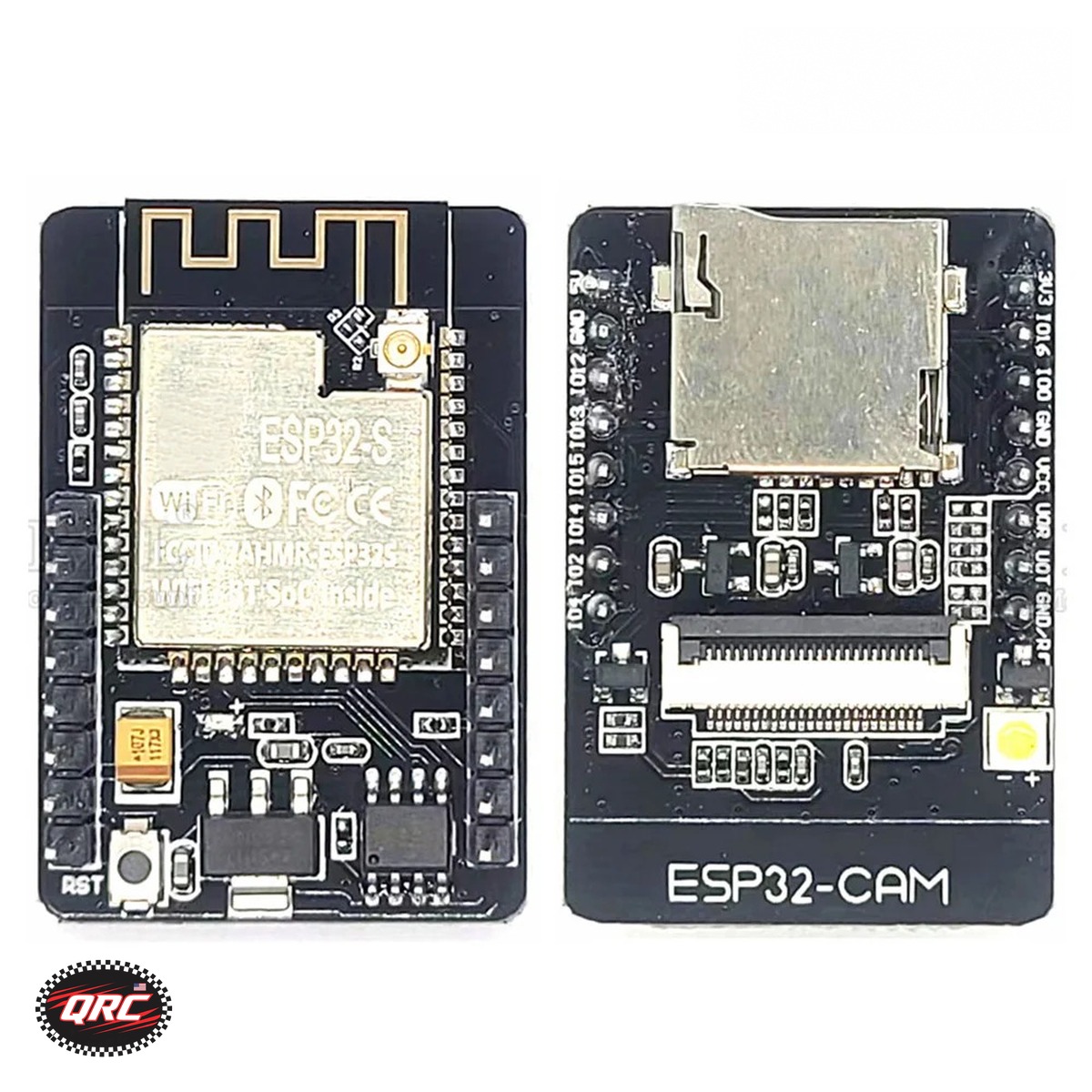
Quick facts
| Fact | Value |
|---|---|
| ESP32-S3-CAM module | ESP32-S3 N16R8, 16MB flash, 8MB PSRAM |
| ESP32-S3-CAM cameras | OV2640 2MP or OV5640 5MP, or board only |
| ESP32-S3-CAM USB | Dual USB-C: USB-UART and USB-OTG |
| ESP32-CAM processor | Dual-core up to 240 MHz, 520KB SRAM |
| ESP32-CAM memory | 4MB PSRAM, OV2640 camera fitted |
| ESP32-CAM size | About 39.8 x 27 mm, micro USB, TF slot |
How does ESP32-S3-CAM vs ESP32-CAM memory compare?
The ESP32-S3-CAM board carries 16MB flash and 8MB PSRAM on the N16R8 module.
The ESP32-CAM board carries 4MB PSRAM with 520KB of SRAM on its dual-core processor.
The DevKit V1 board carries 4MB flash and 512KB SRAM, with no camera connector in its listing.
Which camera fits each board?
The ESP32-S3-CAM takes an OV2640 2MP camera or an OV5640 5MP camera, or ships as board only.
The board-only option includes no camera module, so pick a camera option when you need one.
The ESP32-CAM ships with the OV2640 camera module included and fitted to the board.
What changes with dual USB-C ports?
The ESP32-S3-CAM gives you 2 USB-C ports: one for USB-UART and one for USB-OTG.
The ESP32-CAM uses a micro USB interface with a TF card slot for local image storage.
The DevKit V1 offers Micro USB or Type-C versions with a CP2102 serial chip.
Which board suits a first camera project?
The ESP32-CAM suits a first project, because the camera arrives fitted and the board runs WiFi streaming.
The ESP32-CAM supports STA, AP, and STA plus AP WiFi modes at 2.4 GHz with over-the-air firmware updates.
The ESP32-S3-CAM suits a second build, with more memory and a choice of two camera modules.
What did we check against the listings?
We matched the 16MB flash and 8MB PSRAM to the ESP32-S3-CAM listing.
We matched the 4MB PSRAM and the fitted OV2640 camera to the ESP32-CAM listing.
We counted 10 images on the S3 listing, 1 image on the ESP32-CAM listing, and 11 on the DevKit listing.
How the options compare
| Board | Flash | PSRAM | Camera | USB | Price |
|---|---|---|---|---|---|
| ESP32-S3-CAM | 16MB | 8MB | OV2640 2MP or OV5640 5MP | Dual USB-C | $11.97 |
| ESP32-CAM | Not stated | 4MB | OV2640 fitted | Micro USB | $25.99 |
| DevKit V1 | 4MB | Not stated | None listed | Micro USB or Type-C | $11.99 |
How do you start an ESP32 camera project in 5 steps?
- Pick the board and camera option: 2MP OV2640 or 5MP OV5640.
- Fit the camera module to the board connector, unless it arrives fitted.
- Connect the board over USB-C or micro USB to your computer.
- Pick a WiFi mode: STA, AP, or STA plus AP on the ESP32-CAM.
- Test the video stream over 2.4 GHz WiFi before you mount the board.
Parts that fit this guide
Check stock before you order, because in-stock parts ship from New York in 1-2 business days. Prices in this guide are the live store prices verified on November 12, 2026.
ESP32-S3-CAM Development Board N16R8, OV2640 or OV5640 Camera, 1/5/10-Pack ($11.97)
ESP32-S3-CAM development board from $11.97. It carries 16MB flash and 8MB PSRAM with dual USB-C and a choice of OV2640 or OV5640 camera.
ESP32-CAM Development Board with OV2640 Camera Module, 4MB PSRAM ($25.99)
ESP32-CAM development board at $25.99. It ships with an OV2640 camera fitted, 4MB PSRAM, WiFi plus Bluetooth, and a TF card slot.
ESP32 DevKit V1 Development Board, 30-Pin WROOM-32, WiFi + Bluetooth ($11.99)
ESP32 DevKit V1 development board at $11.99. It is a 30-pin WROOM-32 board with WiFi plus Bluetooth for non-camera ESP32 projects.
Shop the full range in the ESP32 and ESP8266 category at Quality RC Parts. See also: Related guide.
Frequently asked questions
Does the board-only S3 option include a camera?
No. The board-only option includes no camera module. Pick the OV2640 or OV5640 option when you need a camera.
Which camera has more pixels?
The OV5640 camera gives 5MP, while the OV2640 camera gives 2MP. Both fit the ESP32-S3-CAM board.
Does the ESP32-CAM use USB-C?
No. The ESP32-CAM listing states a micro USB interface. The S3 board uses dual USB-C ports.
Can the DevKit V1 run a camera?
The DevKit V1 listing states no camera connector, so it suits non-camera projects with its 30 GPIO pins.
Sources
Last updated: November 14, 2026.