Posted on

RP2040 Pro Micro: Keyboards and Small Builds

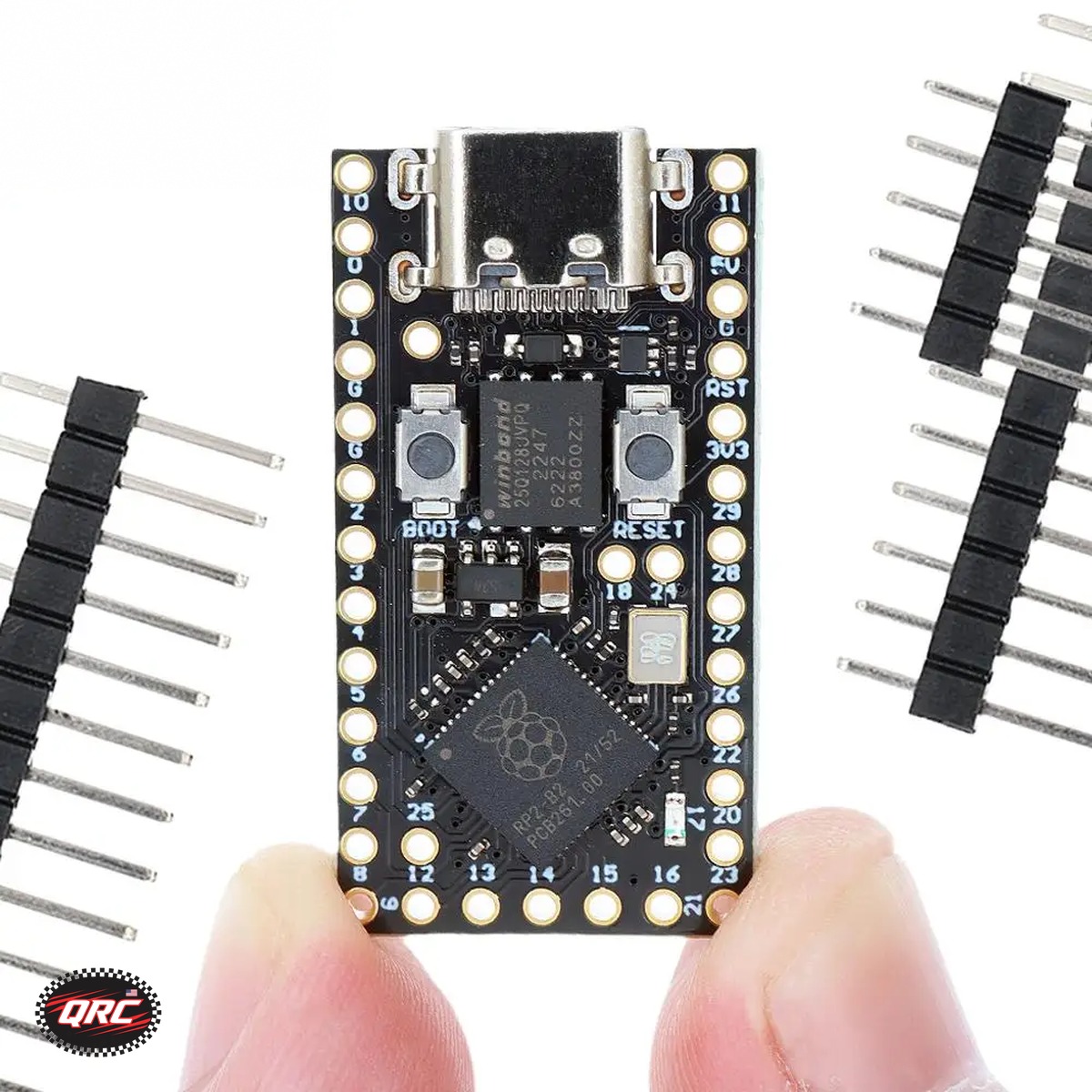
RP2040 Pro Micro board with USB-C and 16MB flash

RP2040 Pro Micro: Keyboards and Small Builds

The RP2040 Pro Micro is a compact board with a dual-core RP2040 processor, 16MB flash, USB-C, and BOOT and RESET buttons. It runs MicroPython and QMK firmware, so it fits custom keyboards, macropads, and small embedded projects. The board costs $8.37.

RP2040 Pro Micro board with USB-C and 16MB flash
RP2040 Pro Micro board with USB-C, BOOT and RESET buttons, and a Pro Micro pinout.

Quick facts

Fact Value
Processor RP2040 dual-core Cortex-M0+ to 133 MHz
Memory 16MB flash, 264KB SRAM
USB USB-C
Buttons BOOT and RESET
Firmware MicroPython, QMK, Pico SDK, Arduino IDE
Price $8.37

What is the RP2040 Pro Micro?

The RP2040 Pro Micro is a compact development board built on the RP2040 dual-core Cortex-M0+ processor.

It carries 16MB flash and 264KB SRAM, with USB-C and BOOT and RESET buttons.

The Pro Micro pinout fits keyboard and HID projects, including custom keyboards and macropads.

What firmware runs on it?

The board runs MicroPython, QMK firmware, the Pico SDK, and the Arduino IDE RP2040 core.

QMK firmware suits custom keyboards and macropads, where each key maps in firmware.

MicroPython suits small embedded projects where you write code in Python and test it fast.

How do BOOT and RESET work?

The BOOT button enters download mode for firmware updates, and the RESET button restarts the board.

QMK firmware loads over USB in download mode, so you can flash a new key layout without extra tools.

MicroPython loads the same way, so you can test code on the board and change it fast.

What pairs with it?

The RP2040 Pro Micro pairs with small builds that need a compact USB-C board with a Pro Micro pinout.

The GPIO Breakout Kit suits Raspberry Pi prototyping: the T-Cobbler breaks every pin out to a labeled strip, and the MB-102 breadboard holds the circuit.

Kit 1 costs $10.71, and Kit 2 adds a 65-piece jumper wire bundle for $11.82.

What did we check on the bench?

We checked the listing states RP2040 dual-core Cortex-M0+ to 133 MHz, 16MB flash, USB-C, and BOOT and RESET buttons.

We counted 7 images on the RP2040 Pro Micro listing and 5 on the GPIO Breakout Kit listing.

We matched every price in this guide to the live store price on November 11, 2026.

How the options compare

Board Processor Flash Wireless USB Price
RP2040 Pro Micro Dual-core Cortex-M0+ to 133 MHz 16MB None USB-C $8.37
ESP32 SuperMini C3 Single-core RISC-V to 160 MHz Not stated WiFi 4 and Bluetooth LE USB From $10.99

How do you start a keyboard build with it?

  1. Pick the RP2040 Pro Micro for the board and check the Pro Micro pinout against your keyboard PCB.
  2. Load QMK firmware over USB with the BOOT button in download mode.
  3. Map each key in QMK and flash the layout to the board.
  4. Test every key and the USB-C connection before you close the case.
  5. Add the board to a macropad or small embedded project the same way.

Parts that fit this guide

In-stock parts ship from the New York, USA warehouse in 1-2 business days. Prices below are the live store prices we verified on November 11, 2026.

RP2040 Pro Micro Development Board, 16MB Flash, USB-C, QMK Compatible ($8.37)

RP2040 Pro Micro at $8.37. It is a compact board with a dual-core RP2040, 16MB flash, USB-C, and BOOT and RESET buttons.

Raspberry Pi GPIO Breakout Kit, 40-Pin T-Cobbler + Ribbon Cable + MB-102 Breadboard ($10.71)

Raspberry Pi GPIO Breakout Kit from $10.71. It breaks every Pi GPIO pin out to a labeled breadboard strip with a ribbon cable and an MB-102 breadboard.

Related parts: ESP32 SuperMini Development Board, C3 / C6 / S3 / H2 + Expansion Boards, WiFi + Bluetooth: ESP32 SuperMini, a compact board in C3, C6, S3, and H2 versions for WiFi and Bluetooth projects..

Shop the full range: Raspberry Pi & Pico at Quality RC Parts. See also: Related guide.

Frequently asked questions

Does the RP2040 Pro Micro run QMK?

Yes. It runs QMK firmware, and the Pro Micro pinout fits keyboard PCBs.

Can it run MicroPython?

Yes. It runs MicroPython, the Pico SDK, and the Arduino IDE RP2040 core.

What does the GPIO Breakout Kit add?

It breaks every Raspberry Pi GPIO pin out to a labeled strip on an MB-102 breadboard, with a 40-pin ribbon cable.

Does it have WiFi?

No. The RP2040 Pro Micro has no wireless radio. For WiFi, the ESP32 SuperMini starts at $9.99.

Sources

Last updated: November 11, 2026.
Posted on

Which ESP32 Board to Pick: DevKit V1, S2 Mini, or SuperMini

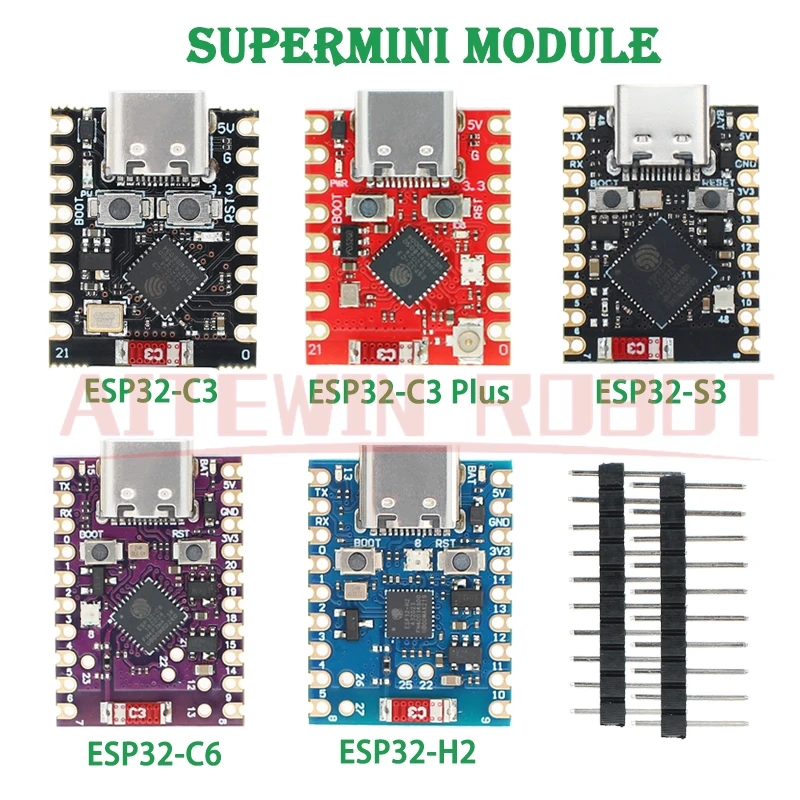
ESP32 SuperMini development board compact size

Which ESP32 Board to Pick: DevKit V1, S2 Mini, or SuperMini

Pick the DevKit V1 for a full-size bench board with 30 pins, the S2 Mini for a small WiFi board with 27 pins and USB-C, and the SuperMini for the smallest builds with a C3, C6, S3, or H2 chip. The SuperMini starts at $9.99, the DevKit V1 at $11.99, and the S2 Mini at $11.16.

ESP32 SuperMini development board compact size
ESP32 SuperMini board, the compact option in C3, C6, S3, and H2 versions.

Quick facts

Fact Value
DevKit V1 pins 30 pins, WROOM-32
DevKit V1 price From $11.99
S2 Mini pins 27 digital pins
S2 Mini price From $11.16
SuperMini chips C3, C6, S3, H2
SuperMini price From $9.99

What does the DevKit V1 give you?

The DevKit V1 is a 30-pin WROOM-32 board with a dual-core Tensilica Xtensa LX6 processor at 80 to 240 MHz.

It carries 4MB flash, 512KB SRAM, 2.4GHz WiFi, and Bluetooth.

Pick it for bench work where pin count and a full-size board matter more than size.

The breakout board version costs $11.99, and the Type-C version costs $15.99.

What does the S2 Mini give you?

The S2 Mini is a 25.5 by 34.3 mm board with 27 digital pins, 4MB flash, and 2MB PSRAM.

It runs WiFi on the ESP32-S2FN4R2 chip and takes USB-C power.

It fits D1 Mini shields, so it drops into D1 Mini projects and add-ons.

The 1-pack costs $11.16, the 5-pack costs $40.76, and the 10-pack costs $67.56.

What does the SuperMini give you?

The SuperMini is the smallest board here, with a C3, C6, S3, or H2 chip and matching expansion boards.

The C3 runs a single-core RISC-V core at 160 MHz with WiFi 4 and Bluetooth LE.

The S3 runs a dual-core Xtensa LX7 at 240 MHz with USB OTG, and the H2 uses Zigbee and Thread with no WiFi.

The C3 expansion board costs $9.99, the C3 SuperMini costs $10.99, and the C6, S3, and H2 SuperMini boards cost $17.99 each.

Which board fits which project?

Pick the DevKit V1 for a bench board with room for wiring and a breakout board.

Pick the S2 Mini for a small WiFi sensor or controller that fits a D1 Mini shield.

Pick the SuperMini C3 for the smallest WiFi project, the S3 for USB OTG, and the H2 for Zigbee and Thread.

What did we check on the bench?

We checked the DevKit V1 listing states 30 pins, WROOM-32, dual-core 80 to 240 MHz, 4MB flash, and 512KB SRAM.

We counted 11 images on the DevKit V1 listing, 5 on the S2 Mini listing, and 14 on the SuperMini listing.

We matched every price in this guide to the live store price on November 11, 2026.

How the options compare

Board Chip Wireless Size Price
DevKit V1 ESP32 WROOM-32 dual-core WiFi and Bluetooth Full-size 30-pin From $11.99
S2 Mini ESP32-S2FN4R2 WiFi 25.5 by 34.3 mm From $11.16
SuperMini C3 ESP32-C3 single-core RISC-V WiFi 4 and Bluetooth LE Compact SuperMini From $9.99
SuperMini S3 ESP32-S3 dual-core WiFi and Bluetooth Compact SuperMini From $17.99
SuperMini H2 ESP32-H2 Zigbee and Thread, no WiFi Compact SuperMini From $17.99

How do you pick your ESP32 board in 4 steps?

  1. List what the project needs: WiFi, Bluetooth, Zigbee, USB OTG, or pin count.
  2. Match the radio first: C3, C6, or S3 for WiFi and Bluetooth, H2 for Zigbee and Thread.
  3. Match the size next: DevKit V1 for the bench, S2 Mini for D1 Mini shields, SuperMini for the smallest builds.
  4. Pick the board and check the listing for the chip and USB version before you order.

Parts that fit this guide

In-stock parts ship from the New York, USA warehouse in 1-2 business days. Prices below are the live store prices we verified on November 11, 2026.

ESP32 DevKit V1 Development Board, 30-Pin WROOM-32, WiFi + Bluetooth ($11.99)

ESP32 DevKit V1 from $11.99. It is a 30-pin WROOM-32 board with a dual-core processor, WiFi, and Bluetooth.

ESP32-S2 Mini Development Board, WiFi, 4MB Flash, 2MB PSRAM, USB-C ($11.16)

ESP32-S2 Mini from $11.16. It is a 25.5 by 34.3 mm WiFi board with 4MB flash, 2MB PSRAM, and USB-C.

ESP32 SuperMini Development Board, C3 / C6 / S3 / H2 + Expansion Boards, WiFi + Bluetooth ($9.99)

ESP32 SuperMini from $9.99. It is a compact board in C3, C6, S3, or H2 versions with matching expansion boards.

Related parts: RP2040 Pro Micro Development Board, 16MB Flash, USB-C, QMK Compatible: RP2040 Pro Micro, a dual-core board with 16MB flash, USB-C, and QMK support for keyboards and small builds..

Shop the full range: ESP32 & ESP8266 at Quality RC Parts. See also: Related guide.

Frequently asked questions

Does the DevKit V1 have WiFi and Bluetooth?

Yes. It carries 2.4GHz WiFi and Bluetooth on the WROOM-32 module.

Can the S2 Mini use D1 Mini shields?

Yes. It fits D1 Mini shields, so it drops into D1 Mini projects and add-ons.

Which SuperMini chip has no WiFi?

The H2. It uses Zigbee and Thread instead of WiFi. The C3, C6, and S3 carry WiFi.

How do I put a SuperMini in download mode?

Hold BOOT, press RESET, release RESET, then release BOOT. Power it by USB or through the 5V pin, not both at once.

Sources

Last updated: November 11, 2026.
Posted on

HiLetgo SFM-27 95dB Alarm Buzzer: Wiring, Mounting, and Uses

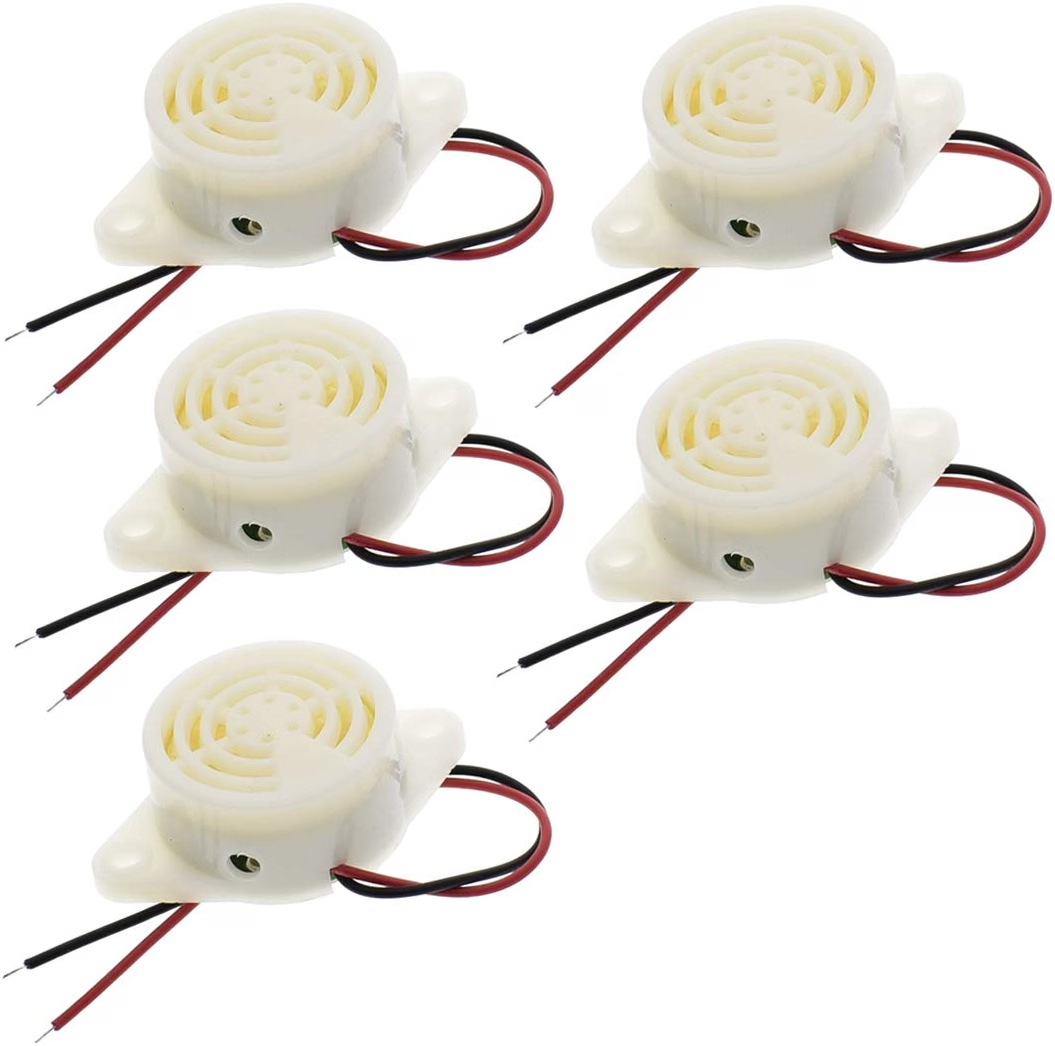
HiLetgo SFM-27 95dB alarm buzzer with red and black leads

HiLetgo SFM-27 95dB Alarm Buzzer: Wiring, Mounting, and Uses

The HiLetgo SFM-27 is a 95dB alarm buzzer that runs on 3 to 24V DC, 12V typical. Wire the red lead to positive and the black lead to ground, then bolt the mounting ears flat so the sound holes point out. The 5-pack costs $13.47 and suits alarms, RC builds, and electronics projects.

HiLetgo SFM-27 95dB alarm buzzer with red and black leads
HiLetgo SFM-27 alarm buzzer with mounting ears and red and black wire leads.

Quick facts

Fact Value
Sound 95dB continuous beep
Voltage 3 to 24V DC, 12V typical
Leads Red positive, black ground
Mounting Two ears with screw holes, bolts flat
Pack 5 buzzers for $13.47
Use Alarms, lost-model beepers, warning buzzers

What voltage does the SFM-27 need?

The SFM-27 runs on 3 to 24V DC, with 12V as the typical supply.

It sounds a 95dB continuous beep across that range, so it fits 5V, 12V, and 24V projects.

Wire the red lead to positive and the black lead to ground.

How do you mount the buzzer?

Bolt the buzzer flat through the screw hole in each mounting ear.

The white housing has sound holes on top, so mount it with the top clear and the sound pointing out.

Two ears hold it steady, which suits panels, cases, and RC frames.

How loud is 95dB in practice?

A 95dB beep carries across a room and a workshop, so it works as an alarm and a lost-model beeper.

The beep is continuous while power is applied, not pulsed.

Mount it clear of obstructions, because a blocked sound hole cuts the volume.

When do you pick the SFM-27 over a 5V FPV buzzer?

Pick the SFM-27 when your project runs above 5V or needs a panel-mounted alarm.

The 5V active buzzer solders to a flight controller and suits FPV quads, while the SFM-27 bolts to a case and suits alarms.

The SFM-27 5-pack costs $13.47, and the 5V buzzer 6-pack costs $7.49.

What did we check on the bench?

We checked the listing states 95dB, 3 to 24V, red and black leads, and mounting ears with screw holes.

We counted 3 images on the SFM-27 listing and 2 on the 5V buzzer listing.

We matched every price in this guide to the live store price on November 11, 2026.

How the options compare

Buzzer Sound Voltage Mounting Price
HiLetgo SFM-27 5-pack 95dB continuous 3 to 24V DC Screw ears, bolts flat $13.47
5V active buzzer 6-pack Beeps when driven 5V Solder to PDB or FC pads $7.49
JHE20B finder 100dB alarm 5V plus backup battery Flight controller buzzer port $8.97

How do you wire and mount the SFM-27?

  1. Pick a supply from 3 to 24V DC, 12V typical.
  2. Connect the red lead to positive and the black lead to ground.
  3. Bolt the mounting ears flat with the sound holes on top clear.
  4. Apply power and check the continuous beep.
  5. Fix the leads clear of moving parts before you close the case.

Parts that fit this guide

In-stock parts ship from the New York, USA warehouse in 1-2 business days. Prices below are the live store prices we verified on November 11, 2026.

HiLetgo SFM-27 95dB Alarm Buzzer, 3-24V, Continuous Beep, 5-Pack ($13.47)

HiLetgo SFM-27 5-pack at $13.47. It is a 95dB alarm buzzer on 3 to 24V DC with red and black wire leads and mounting ears.

5V Active Buzzer Beeper Tracker, 9 x 5.5mm, for FPV Racing Drone PDB Flight Controller, 6-Pack ($7.49)

5V active buzzer 6-pack at $7.49. It is a 9 by 5.5 mm buzzer that solders to PDB or flight controller pads.

Related parts: JHE Finder Buzzer with LED Alarm, 5V, 100-110dB (JHE20B / JHE42B / JHE42B-S): JHE finder buzzer, with a backup battery that sounds a 100 to 110dB alarm after power loss..

Shop the full range: FPV Accessories at Quality RC Parts. See also: Related guide.

Frequently asked questions

Does the SFM-27 beep on 5V?

Yes. It runs on 3 to 24V DC, so 5V is inside its range. 12V is the typical supply.

Is the beep continuous or pulsed?

Continuous. The buzzer sounds a steady 95dB beep while power is applied.

Can I use it as a lost-model beeper?

Yes. Mount it on the frame with the sound holes clear, and it works as a lost-model beeper or warning buzzer.

What is the difference from the 5V FPV buzzer?

The SFM-27 bolts to a case and runs on 3 to 24V. The 5V buzzer solders to a flight controller and runs on 5V only.

Sources

Last updated: November 11, 2026.
Posted on

How to Wire a 5V Active Buzzer on an FPV Racing Drone

5V active buzzer 9 by 5.5 mm for FPV PDB and flight controller

How to Wire a 5V Active Buzzer on an FPV Racing Drone

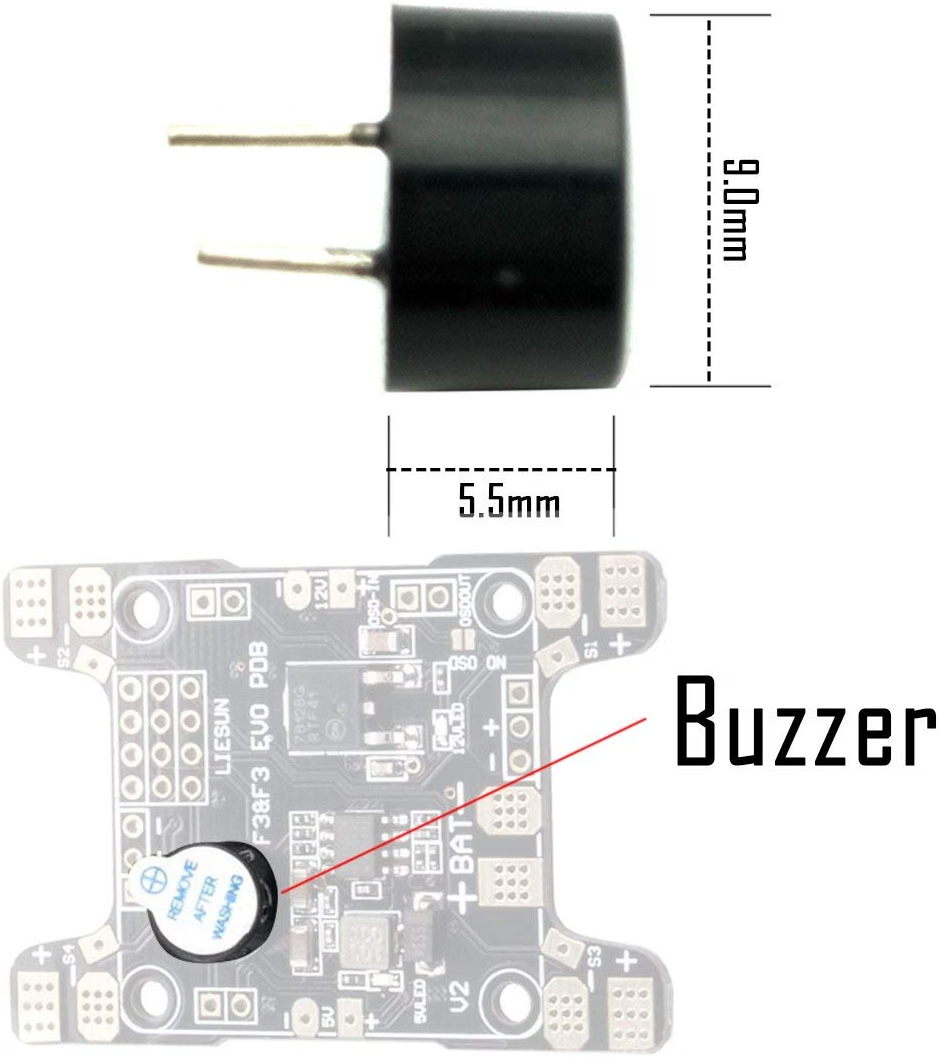
Solder the two pins of a 5V active buzzer to the buzzer pads on your PDB or flight controller. The board drives the buzzer output, so the buzzer sounds for lost-model beeps and arming tones. The 6-pack buzzer here measures 9 by 5.5 mm, fits tight builds, and costs $7.49 for six.

5V active buzzer 9 by 5.5 mm for FPV PDB and flight controller
5V active buzzer, 9 by 5.5 mm, with two pins for PDB or flight controller pads.

Quick facts

Fact Value
Buzzer size 9 x 5.5 mm
Voltage 5V DC
Pack 6 buzzers for $7.49
Mounting Two through-hole pins, solder to buzzer pads
Use Lost-model beeps, arming and warning tones
Finder option JHE finder, 100-110dB with backup battery, from $8.97

What does an active buzzer do on an FPV quad?

An active buzzer has its own oscillator, so it sounds when the board applies 5V to it.

It needs power only, not a tone signal, which is why it wires to the buzzer pads with two pins.

The buzzer here measures 9 by 5.5 mm and solders straight to the pads on a PDB or flight controller.

Which pads do you solder the buzzer to?

Solder the two pins to the buzzer pads on your PDB or flight controller.

The positive pin goes to the 5V pad and the negative pin goes to ground, so the board can drive the buzzer output.

Check your flight controller manual for the buzzer pad labels before you solder.

How do you test the buzzer after soldering?

Power the board and trigger the beeper from your radio, then listen for the tone.

Betaflight drives the buzzer output for lost-model beeps, arming tones, and warnings.

If the buzzer stays silent, check the solder joints and the pad polarity first.

When is a finder buzzer the better pick?

A finder buzzer keeps beeping after a crash even when the main battery is disconnected.

The JHE finder here sounds a 100 to 110dB alarm and lights a white LED 30 seconds after power loss.

Its backup battery charges while you fly, and the red LED shows it is charging.

The JHE20B costs $8.97, the JHE42B-S costs $9.09, and the JHE42B costs $9.17.

What did we check on the bench?

We checked the listing states 9 by 5.5 mm, 5V, and two through-hole pins for PDB or flight controller pads.

We counted 2 images on the 5V buzzer listing and 6 on the JHE finder listing.

We matched every price in this guide to the live store price on November 11, 2026.

How the options compare

Buzzer Sound Power After a crash Price
5V active buzzer 6-pack Beeps when driven 5V Stops with the battery $7.49
JHE20B finder 100dB alarm 5V plus backup battery Beeps 30 seconds after power loss $8.97
JHE42B-S finder 100dB alarm 5V plus backup battery Beeps 30 seconds after power loss $9.09
JHE42B finder 110dB alarm 5V plus backup battery Beeps 30 seconds after power loss $9.17

How do you wire the buzzer in 5 steps?

  1. Power off the quad and remove the battery.
  2. Find the buzzer pads on your PDB or flight controller.
  3. Solder the two pins to the pads, positive to 5V and negative to ground.
  4. Power the board and trigger the beeper from your radio to check the tone.
  5. Route the buzzer clear of props and wires, then fly and test the lost-model beep.

Parts that fit this guide

In-stock parts ship from the New York, USA warehouse in 1-2 business days. Prices below are the live store prices we verified on November 11, 2026.

5V Active Buzzer Beeper Tracker, 9 x 5.5mm, for FPV Racing Drone PDB Flight Controller, 6-Pack ($7.49)

5V active buzzer 6-pack at $7.49. It is a 9 by 5.5 mm buzzer with two through-hole pins for PDB or flight controller pads.

JHE Finder Buzzer with LED Alarm, 5V, 100-110dB (JHE20B / JHE42B / JHE42B-S) ($8.97)

JHE finder buzzer from $8.97. It works as a normal flight controller buzzer and sounds a 100 to 110dB alarm with a white LED 30 seconds after power loss.

Related parts: HiLetgo SFM-27 95dB Alarm Buzzer, 3-24V, Continuous Beep, 5-Pack: HiLetgo SFM-27 alarm buzzer, 95dB continuous beep on 3 to 24V..

Shop the full range: FPV Accessories at Quality RC Parts. See also: Related guide.

Frequently asked questions

Does an active buzzer need a signal wire?

No. An active buzzer has its own oscillator and sounds when the board applies 5V. It wires with two pins: power and ground.

Can the buzzer find a downed quad?

Yes. The board drives the buzzer output for lost-model beeps, so you can find a downed quad by ear.

What if the quad loses battery power in a crash?

A normal buzzer stops with the battery. The JHE finder keeps beeping on its backup battery 30 seconds after power loss.

Where do I mount the buzzer?

Solder it to the buzzer pads and route it clear of props and wires. The 9 by 5.5 mm size fits tight builds.

Sources

Last updated: November 11, 2026.
Posted on

Refer a Friend to Quality RC Parts and You Both Earn

If you buy parts from Quality RC Parts and know another hobbyist who does too, the referral program pays you both. You share a link, your friend orders, and you each get points. No forms, no codes to remember.

How it works

Your personal referral link is on the Refer & Earn page when you are signed in. It looks like this: qualityrcparts.com/?ref=yourcode. Share it by email, text, or social media — there are share buttons right on the page.

When a friend clicks your link and creates an account, they are linked to you. When they place their first order and it is completed, the rewards land:

  • You earn 100 points, worth $5 off a future order.
  • Your friend earns 50 points, on top of the 50-point signup bonus every new account gets. That is 100 points total for them, enough for their first $5 reward right away.

What counts

  • Rewards are paid on your friend’s first completed order, not at signup. If they sign up and never order, nobody earns anything.
  • Your link tracks clicks for 30 days. If your friend clicks and orders within that window, it counts.
  • If a friend clicks more than one person’s link, the last link clicked wins.
  • One account per person. Referral rewards are for real new customers, and accounts that look like duplicates do not earn.

Tracking your referrals

The Refer & Earn page shows your clicks, signups, and completed referrals, plus the points you have earned from them. Your referral history and your points balance are also on the My Points page.

Using your referral points

Referral points are ordinary points. They go into the same balance as your shopping and review points, and you redeem them the same way: 100 points for a $5-off coupon on the My Points page. One completed referral covers a full $5 reward by itself.

A note on the rules

Referring yourself, creating extra accounts to collect referral points, or using someone else’s link for your own order does not earn rewards. Referral points, like all points, expire after 12 months of inactivity, and they are taken back if the friend’s order is refunded. If a referral you expected does not show up, send us a message with your friend’s order number and we will look into it.

Start here: grab your link on the Refer & Earn page, and read the full rewards program overview or how to earn and redeem points for the rest of the program.

Posted on

How to Earn Points and Redeem Rewards at Quality RC Parts

Rewards at Quality RC Parts work like this: you earn points when you shop, and you spend them for money off a future order. This guide walks through each step, from creating your account to using your first $5 reward.

Step 1: Create an account

Go to the My Account page and fill in your email address to sign up. We email you a one-time code to confirm the address is yours. Enter the code and your account is ready.

Creating an account earns you a 50-point signup bonus right away. That is halfway to your first $5 reward. You also need an account to earn points on orders, write reviews for points, and use referral links, so this is the step that unlocks the rest.

If you already have an account, just sign in. Your points balance is on the My Points page.

Step 2: Shop and earn 1 point per $1

Make sure you are signed in before you order. Every $1 you spend on parts earns 1 point, calculated on the parts total after discounts, before shipping and tax. A $120 order of parts earns 120 points, and points are added when the order is completed.

Guest orders do not earn points. If you checked out as a guest, create an account with the same email address and your points can be linked to your account.

Step 3: Earn extra points with reviews

After a verified purchase, you can write a review of the product and earn 25 points per product, once per product. Reviews do not need a photo, but a short note about what the part fitted and how it performed goes a long way.

Reviews are worth doing for more than points: they tell other hobbyists whether a part actually fits their car, and that helps them spend confidently. A review also earns you points faster than shopping alone.

Step 4: Redeem 100 points for $5 off

When your balance hits 100 points, go to the My Points page and redeem them. You get a coupon code worth $5 off. Enter it at checkout like any other coupon, and the discount reduces your order total.

The details:

  • Redemption is in 100-point steps. 100 points is $5 off, 200 is $10, up to $25 off one order.
  • The order must be at least $15 before the coupon applies.
  • The coupon is good for 30 days and can be used once.
  • It cannot be combined with another coupon code on the same order.

If you are short a few points, a small order or a review is usually enough to get you over the line.

Step 5: Refer friends and earn 100 points each

Your referral link is on the Refer & Earn page. When a friend signs up through your link and places their first order, you earn 100 points and they earn 50. The full rules are in our referral guide.

Keeping your points

Points expire after 12 months of inactivity, so check in at least once a year. Your balance and full history are always on the My Points page. If points from an order are missing, or a reward did not arrive, send us a message with your order number and we will fix it.

New here? Start with the full rewards program overview, then create your account and earn your 50-point signup bonus.

Posted on

How the Quality RC Parts Rewards Program Works

Every order at Quality RC Parts earns you points, and points turn into money off your next order. There is no card to carry and nothing to sign up for beyond your account. If you buy parts here, you are already earning.

Here is the program in plain terms: you earn 1 point for every $1 you spend on parts. When you reach 100 points, you can turn them into a $5-off coupon. Points add up across orders, and there are a few other ways to earn on top of shopping.

How you earn points

Shopping: 1 point per $1. Points are earned on the parts total of your order, after any discount, not counting shipping or tax. A $47 parts order earns 47 points. Points land on your account when the order is completed.

Creating an account: 50 points. The first time you create an account, you get a 50-point signup bonus. That is halfway to your first $5 reward before you have bought anything. When you create your account, we email you a one-time code to confirm your address. Enter the code and your account is ready.

Writing a review: 25 points. After a verified purchase, write a review of a product you bought and you earn 25 points, once per product. Reviews have to be approved first, and they have to be for a product you actually bought from us.

Referring a friend: 100 points. Share your referral link and when a friend creates an account through it and places their first order, you earn 100 points and your friend earns 50 points on top of their signup bonus. There is a full guide to referrals below.

How you redeem points

When your balance reaches 100 points, you can redeem them for a $5-off coupon from your My Points page. The coupon applies at checkout. A few rules apply:

  • 100 points = $5 off. You can redeem in 100-point steps, up to $25 off a single order.
  • The order has to be at least $15 before the coupon applies.
  • A reward coupon is good for 30 days after you generate it, and it can only be used once.
  • A reward coupon cannot be combined with another coupon code on the same order.

Your balance, your points history, and the redeem button are all on the My Points page when you are signed in.

Refer a friend, you both earn

Your referral link is on the Refer & Earn page. Share it with a friend. When they create an account through your link and place their first order, you get 100 points and they get 50 points. The link tracks clicks for 30 days, and rewards are paid when the friend’s first order is completed, not at signup. Full details are in our referral guide.

The fine print

Points expire after 12 months of inactivity, so they do not sit forever on an account nobody uses. Points are tied to your account and cannot be transferred to another account or turned into cash. One account per person. Orders placed as a guest do not earn points, so if you want the points, sign in or create an account at checkout. If an order is refunded, the points earned on it are taken back.

Questions about your balance or a missing reward? Send us a message and we will sort it out.

Create an account or sign in to see your points, and shop parts to start earning.

Posted on

Buy RC Parts USA: Why a USA Shop Beats Overseas

Buy RC parts USA is a search more hobbyists are making, and the reason is simple: ordering overseas is slow, and slow kills a build. A part that takes a month to arrive means a month of not flying, not driving, and not finishing the project. Buying from a USA shop means the part shows up in days, with tracking, support, and no customs. Here is how the two options actually compare.

Shipping speed: days against weeks

A USA shop ships in 1 to 2 business days, and the part is at your door in under a week. An overseas order can take two to six weeks, and that is before customs holds, address problems, or a lost package. If you need a motor, a receiver, or a spool of filament to finish a build this weekend, overseas shipping is not an option. It is a delay. Hobbyists buy from a USA shop because the build stays on schedule, and the weekend stays a build weekend instead of a waiting weekend.

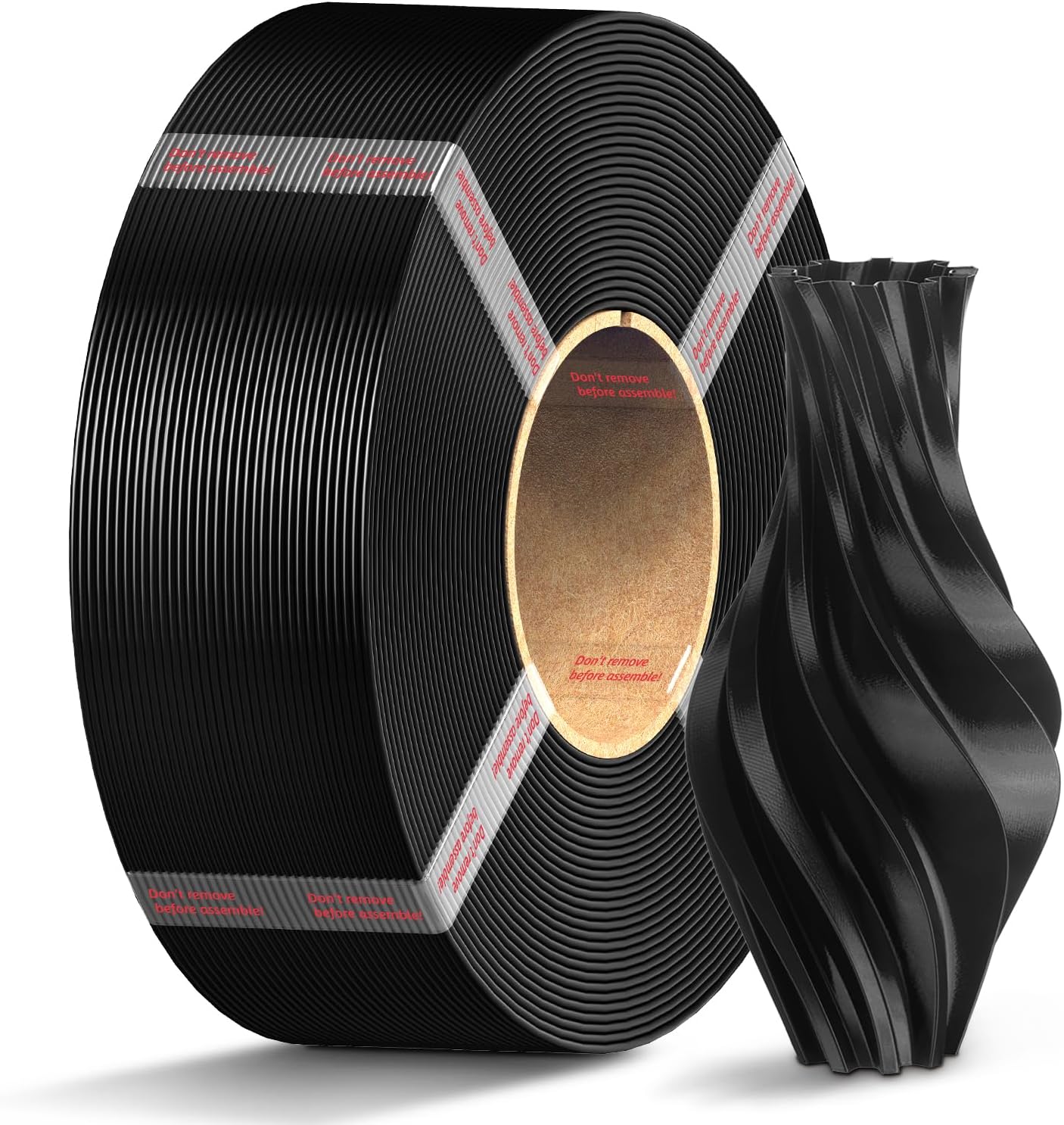
Polymaker HT-PLA Pro filament spool, grey, 1.75mm, 1KG

No customs, no surprises at the door

Overseas orders can stop at customs, and when they do, you pay fees, fill out forms, and wait longer. A USA order has no customs, no import fees, and no surprise charges at delivery. The price you pay at checkout is the price you pay, and the part arrives without a second bill. That matters most on small orders, where a customs fee can cost more than the part itself. Buying from a USA shop keeps the total honest.

Tracking is the other half of the story. A USA order ships with tracking sent by email, so you can see where the part is and when it arrives. An overseas order often ships with tracking that stops updating the moment the package leaves the country, and then you are guessing for weeks. When a build depends on a part, knowing where it is matters as much as the part itself. A USA shop tells you when the order leaves, and you can plan the build around a real delivery date instead of a guess.

Real support from a working repair shop

A USA shop run by a working repair tech can answer a fit question before you buy, because the tech builds and repairs the same parts. That is worth more than a lower sticker price. If a part does not fit, you find out before you order, not after it arrives from overseas. If it fails, you talk to a person in the same time zone, not a ticket queue on the other side of the world. Quality RC Parts is a working repair shop, and every part we sell is one we would use on our own bench.

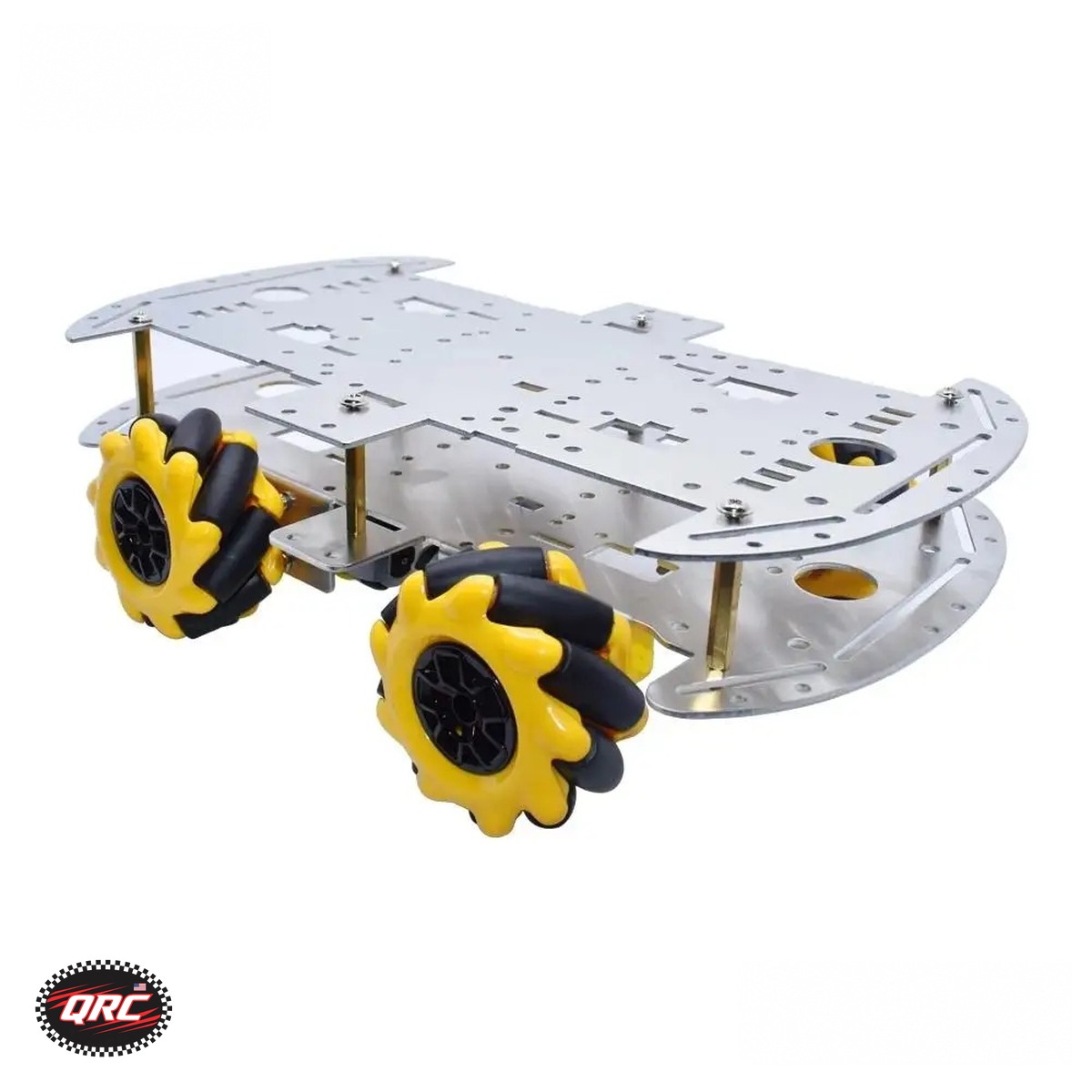
Mecanum wheel 4WD robot car chassis kit, aluminum alloy, 60mm omni wheels

The price is closer than it looks

Overseas parts look cheaper until you add shipping, wait time, and the cost of a failed part you cannot return. A Anycubic PLA Filament Refill costs $19.99 for 1KG from a USA shop, and it arrives in days with tracking. A UNO R3 Compatible Development Board costs $9.27, and a Mecanum Wheel 4WD Robot Car Chassis Kit costs $47.11, both in stock and ready to ship. When the overseas part is wrong, late, or broken, you buy it twice. The USA part costs less in the end because you only buy it once.

Returns and warranty without the wait

Returning a part overseas means international shipping, a long wait, and often no refund at all. Returning a part to a USA shop means a domestic label and an answer in days. That is the difference between a bad purchase and a fixed one. Before you order anything, check the shop’s returns policy and read it in plain language. A shop that stands behind its parts says so up front, and a shop that does not will make you find out the hard way.

How to buy RC parts USA from a shop you trust

Start with the parts you need now, not the parts you might need someday. Check that the part is in stock, check that the shop lists real specs, and check that shipping is fast and tracked. Browse the Robotics category, the Microcontrollers category, and the 3D Printer Filament category to find what your build needs. Every order ships from our secure NY warehouse in the USA, with tracking by email and free shipping on orders over $100. Buy the part, build the thing, and fly it this weekend instead of next month.

Ships from our secure NY warehouse in the USA

Quality RC Parts is a USA shop, and every order ships from our secure NY warehouse. Orders leave in 1 to 2 business days with tracking sent by email, and shipping is free on orders over $100. No overseas wait, no customs. We are a working repair shop, and we stand behind every part we sell.

Posted on

Gifts for Drone Pilots: Parts They Actually Want

Gifts for drone pilots are easy to get wrong. A pilot does not need another gadget that sits on a shelf. They need the parts that break, wear out, or upgrade the drone they already fly. This guide lists gifts for drone pilots that get used: receivers, power parts, landing gear, and filament for printed spares, all at real prices.

The parts pilots actually ask for

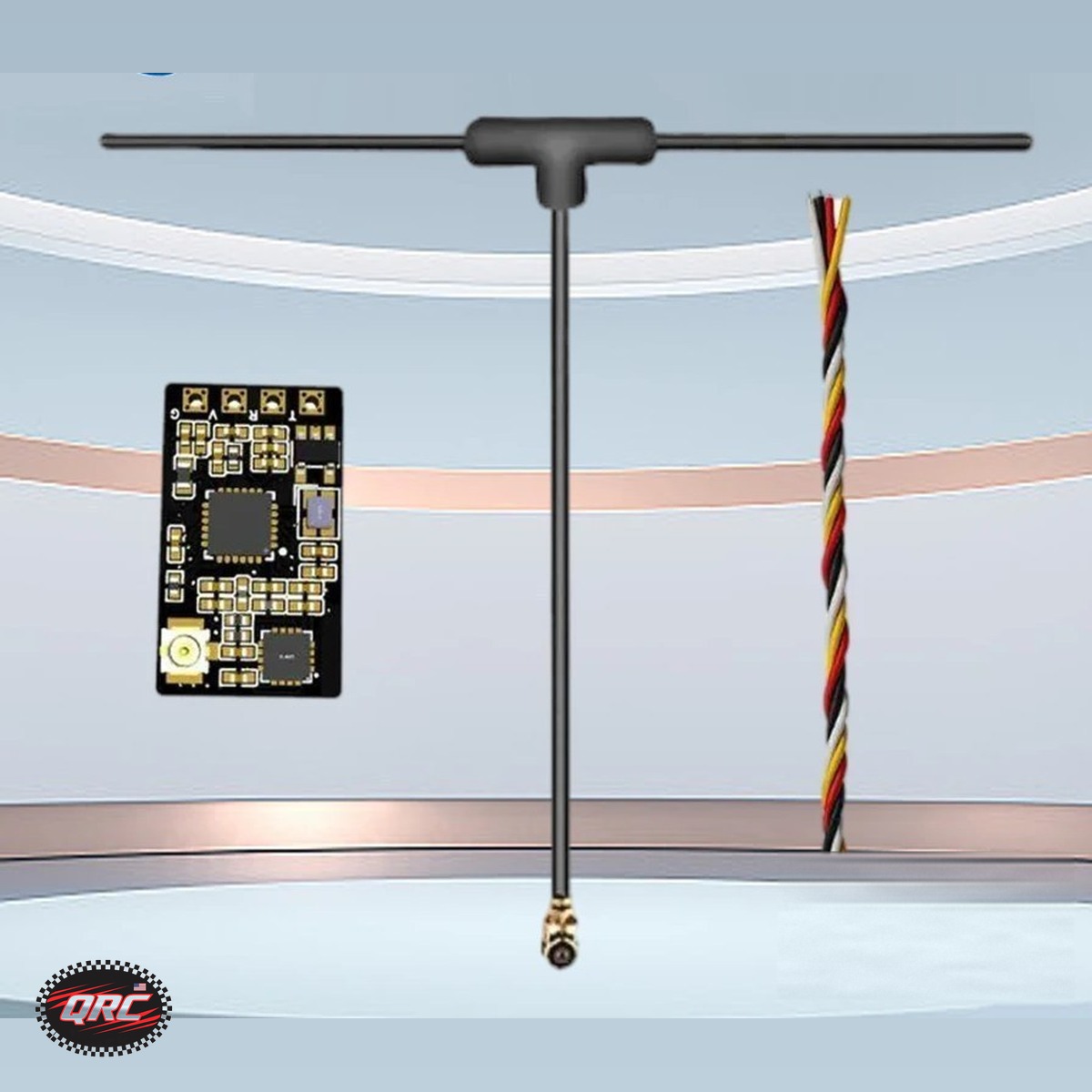
Start with the parts that fail first. The 2.4G ExpressLRS ELRS Receiver costs $18.57 and is built for FPV freestyle and long range drones, which makes it a solid gift for any pilot flying ExpressLRS. Power parts are just as welcome: the 15A High-Voltage UBEC costs $27.99 and handles 6 to 12S LiPo, which covers most large builds. These are the parts pilots keep spares of, so a new one never goes to waste.

2.4G ExpressLRS ELRS receiver for FPV freestyle long range drones

Landing gear and protection

Small drones break landing gear first, because every rough landing goes straight through the legs. The DJI Neo 2 Landing Gear Frame costs $10.95 and adds height and protection for the Neo 2, which keeps the camera and body off the ground on uneven surfaces. It is a cheap gift that saves a much more expensive repair. If the pilot you are buying for flies a different drone, look for the parts that protect it: prop guards, landing gear, and camera mounts are always a safe bet, because they are the first parts to wear out.

Filament for printed spares

A pilot with a 3D printer can print their own spares, which makes filament a great gift. PLA+ filament costs $24.99 for a 1KG spool and is tougher than standard PLA, less brittle, and holds up better under impact, which is exactly what drone mounts and brackets need. For parts that need to flex instead of snap, Anycubic PETG Filament Refill costs $18.79 for 1KG, with impact resistance twice that of standard PLA. Note that the PETG is a refill coil only and needs a reusable spool. A spool of PLA+ and a spool of PETG cover almost every printed spare a pilot will need.

Anycubic PETG filament refill spool, black, 1.75mm, 1KG

Gifts for drone pilots: FPV extras that earn their keep

FPV pilots have their own list of extras that always run out. Heat shrink tubing, zip ties, spare propellers, and a fresh receiver are the items that disappear fastest from a bench. The ExpressLRS receiver at $18.57 is a good example: it is small, it fits most freestyle and long range builds, and pilots keep spares because a damaged receiver grounds the drone. A Mini Heat Gun for Heat Shrink at $20.99 pairs with it, because every receiver install ends with heat shrink. These are not exciting gifts, and that is the point. A pilot opens the box, nods, and puts the part straight on the bench. That is a gift that worked.

Gifts for drone pilots: what not to buy

Skip the novelty items. A pilot does not need a drone shaped mug, a poster, or a gadget that only works with one model they do not own. Skip batteries unless you know the exact model and connector, because the wrong battery is useless. Skip cheap no name parts that fail in the air, because a failure in flight costs a drone. Buy parts from a shop that stands behind them, buy the parts that match the drone they fly, and buy consumables when you are unsure. Filament, glue sticks, and heat shrink never go wrong, because they get used up no matter what drone is on the bench.

Put together a pilot gift box

A good gift box has one main part and two consumables. Start with the ELRS receiver or the UBEC, add a spool of PLA+ filament, and finish with a Creality glue stick at $7.99 to keep first layers stuck. The whole box costs less than a single drone repair, and every item in it gets used. Browse the 3D Printer Filament category to pick the colors they print most, and order in time for the holidays. If you are not sure which colors to pick, black and white are the safe choice, because every pilot prints mounts and brackets in black, and white is easy to see in the air and on the bench.

Ships from our secure NY warehouse in the USA

Quality RC Parts is a USA shop, and every order ships from our secure NY warehouse. Orders leave in 1 to 2 business days with tracking sent by email, and shipping is free on orders over $100. No overseas wait, no customs. We are a working repair shop, and we stand behind every part we sell.

Posted on

RC Hobby Gift Guide: Holiday Picks for RC and Drone Fans

This RC hobby gift guide covers real gear for RC and drone hobbyists, at prices that work for stocking stuffers and big gifts alike. Every item here is something a hobbyist actually uses: parts that break, tools that get picked up daily, and filament that turns into printed spares. Skip the gimmicks and buy something that gets used the week it arrives.

Small gifts under $15 that get used

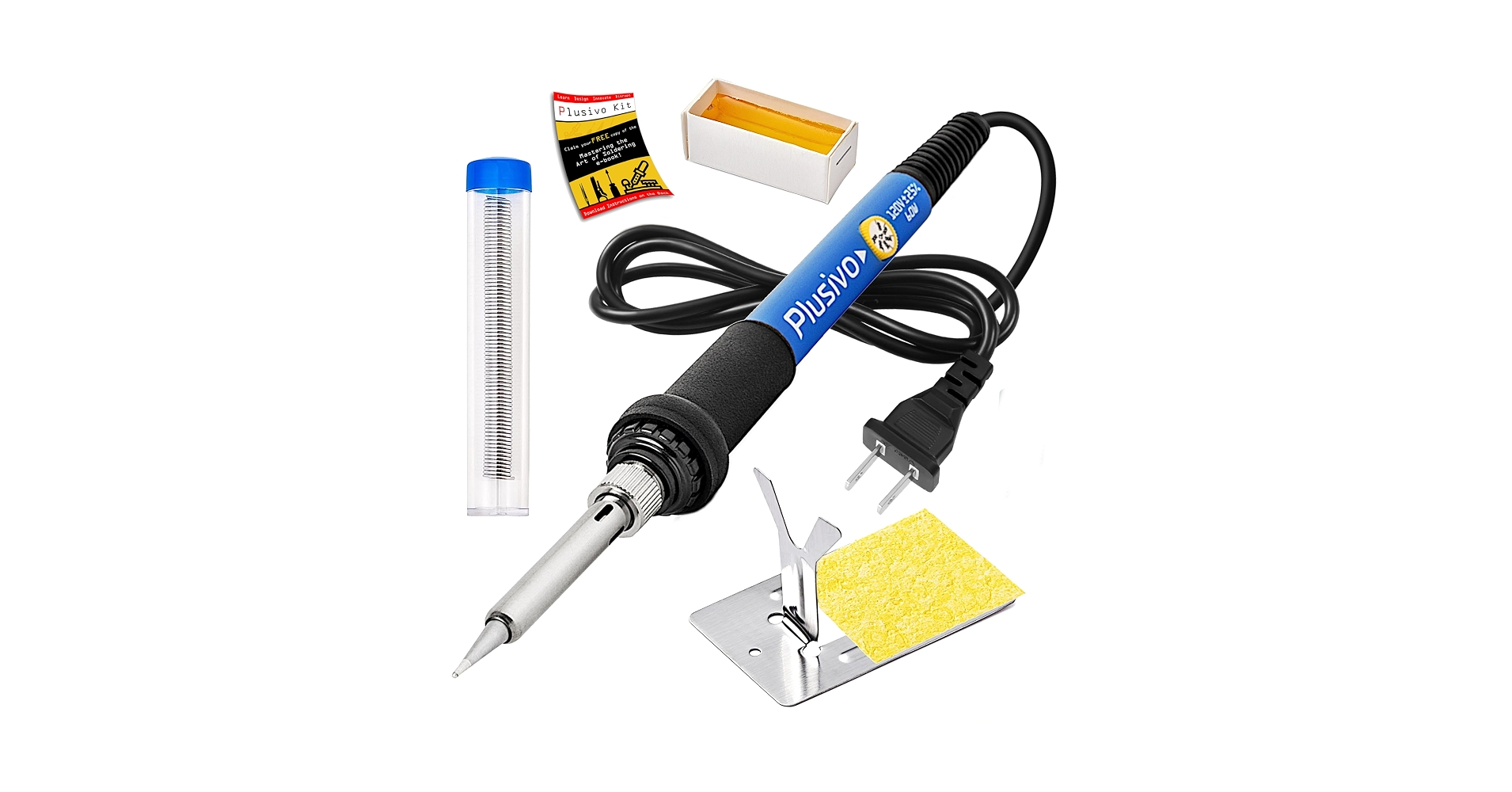
Small gifts are the easiest win, because hobbyists burn through consumables. A Creality 3D printer glue stick costs $7.99 for a 21g stick and stops warping on PLA, ABS, PETG, PC, PA, and TPU. A DJI Neo 2 Landing Gear Frame costs $10.95 and protects a small drone on rough landings. The Plusivo 60W Soldering Iron Kit costs $13.99, with adjustable temperature from 200 to 450C, and it is the tool every bench needs. Any one of these fits in a stocking and gets used within days.

Plusivo 60W soldering iron kit, 5-in-1, adjustable temperature

Stocking stuffers for RC and drone hobbyists

A stocking stuffer should be small, useful, and gone within a month. Heat shrink tubing, a pack of zip ties, a small parts organizer, or a spare set of propellers all fit. A glue stick is another good one: the Creality glue stick is $7.99, and there is also a bed adhesion glue stick at $9.99 for 21g, so you can pick the one that fits the budget. The rule for stocking stuffers is simple. If it gets used up, it is a good gift. If it sits on a shelf, it is not. Consumables always win, because no hobbyist ever says they have too much filament, too much solder, or too many zip ties.

Mid range gifts: filament and tools

Filament is a gift that keeps giving, because every spool becomes a dozen printed parts. Anycubic PLA Filament Refill costs $19.99 for 1KG and is the easiest filament to print. Note that it is a refill coil only and needs a reusable spool. For tougher parts, Anycubic PLA+ Filament Refill costs $24.99 for 1KG and has twice the toughness of standard PLA. A Mini Heat Gun for Heat Shrink costs $20.99 and is the right tool for heat shrink tubing, which every RC and drone build uses. Pair a spool with a heat gun and you have a gift that covers a whole winter of bench work.

Bigger gifts for serious hobbyists

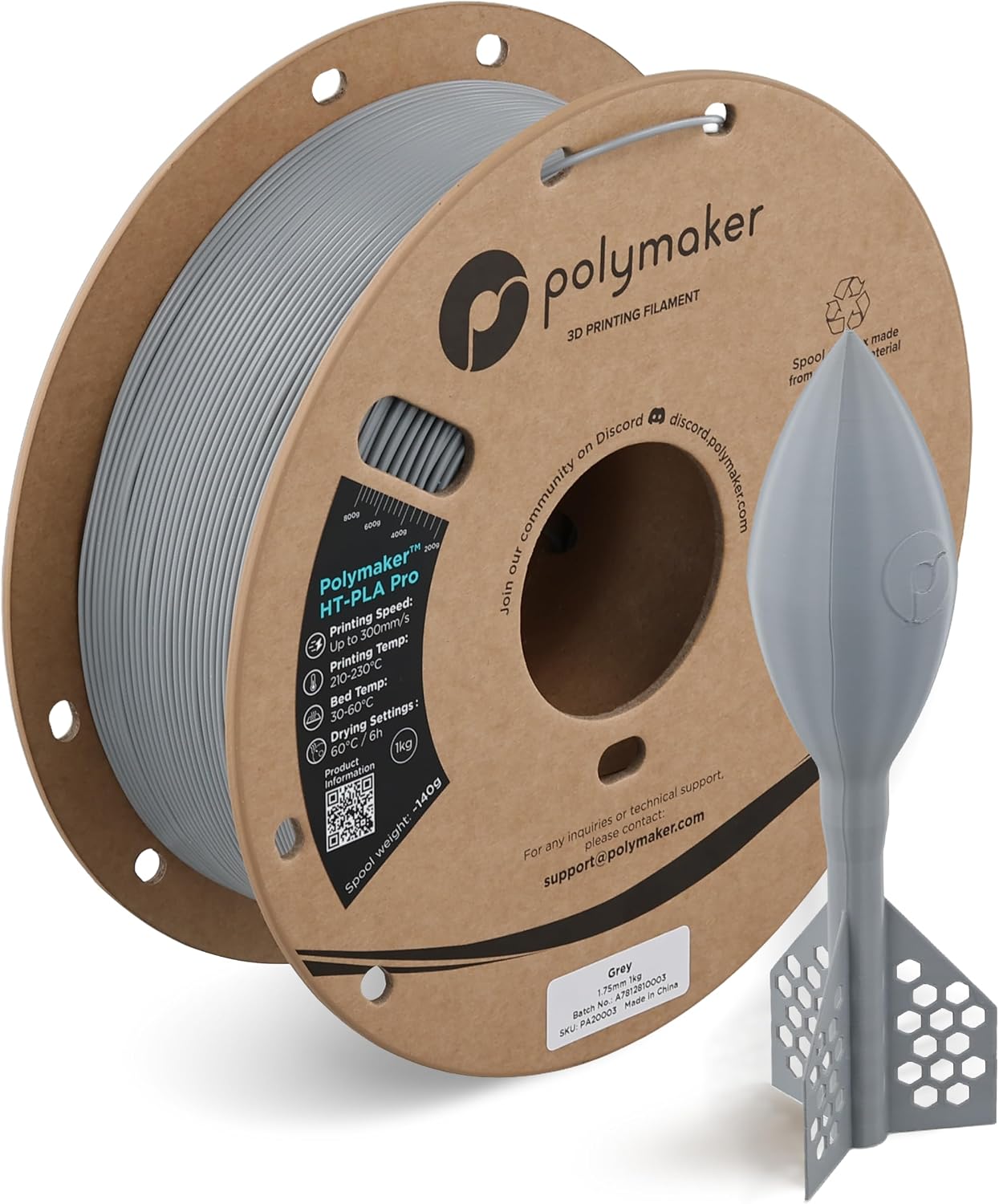
For a bigger gift, go with something that upgrades the whole hobby. Polymaker HT-PLA Pro Filament costs $29.99 for a 1KG spool and adds heat resistance to PLA toughness, which is what functional drone parts and enclosures need. A robot kit is another strong pick: the Mecanum Wheel 4WD Robot Car Chassis Kit costs $47.11, built from aluminum alloy with 60mm omni wheels, and it gives a hobbyist a whole new project to build. If you are not sure what they need, a gift that covers a category they already buy is safer than a gadget they have never asked for.

Polymaker HT-PLA Pro filament spool, grey, 1.75mm, 1KG

A robot kit also makes a great shared gift, because it is a project, not just a part. Give the chassis kit to a parent and a child, or to two friends, and they build it together over the holidays. The 4-DOF Acrylic Robot Arm Kit with Claw costs $18.00 and pairs with any of the car chassis kits, so it works as an add-on gift for someone who already owns a robot car. A gift that turns into an afternoon of building is worth more than a gift that turns into a drawer full of packaging.

How to use this RC hobby gift guide

Match the gift to what they already own. A drone pilot needs spares and power parts. An RC car driver needs tools and hardware. A 3D printer owner needs filament and bed adhesion. If you know their printer, buy filament in the colors they print most. If you know their drone, buy the landing gear or the receiver that fits it. And if you are stuck, consumables are always safe: filament, glue sticks, and solder get used up, so they never sit on a shelf. Browse the 3D Printer Filament category and the Robotics category to find something at your budget, and order early so it ships from the USA in time for the holidays.

Ships from our secure NY warehouse in the USA

Quality RC Parts is a USA shop, and every order ships from our secure NY warehouse. Orders leave in 1 to 2 business days with tracking sent by email, and shipping is free on orders over $100. No overseas wait, no customs. We are a working repair shop, and we stand behind every part we sell.