
Angel35 vs BabyApe: 3-Inch Freestyle FPV Choice

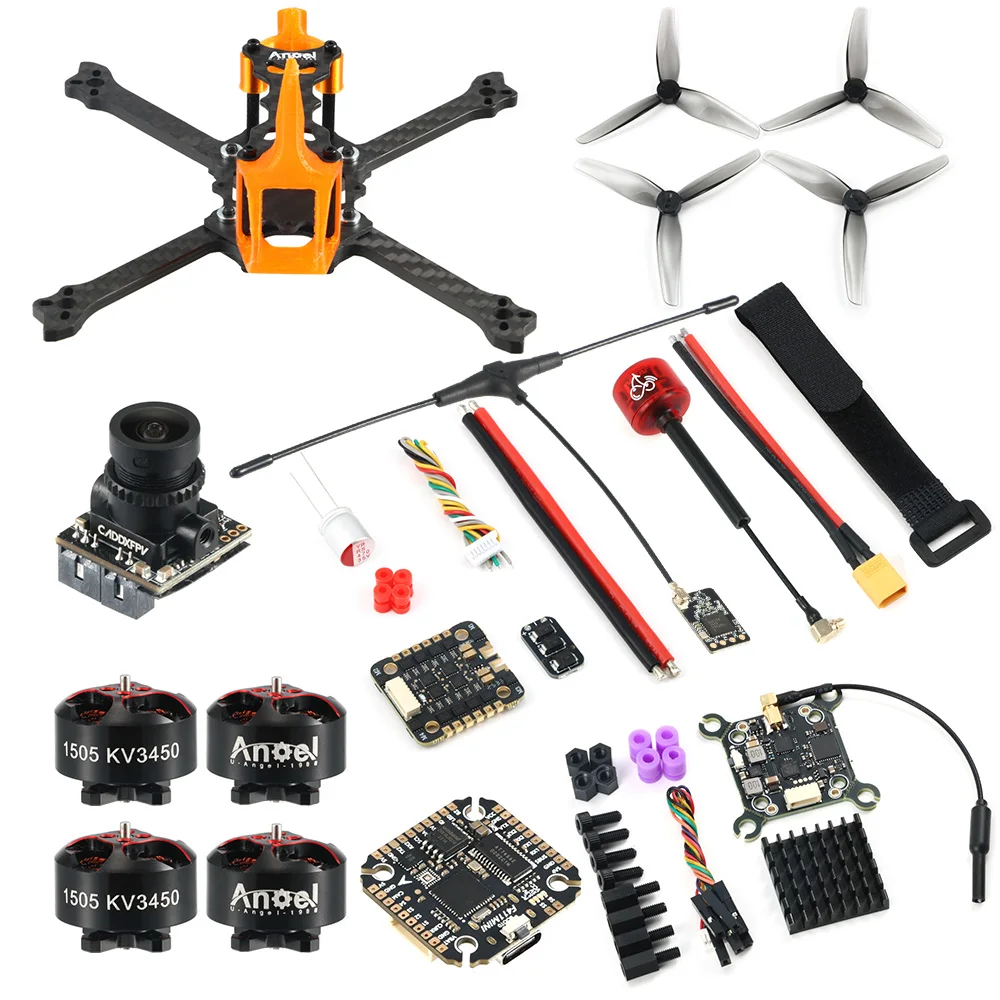
Angel35 3.5-inch freestyle FPV drone BNF

Angel35 vs BabyApe: 3-Inch Freestyle FPV Choice

The Angel35 BNF at $262.99 is a 3.5-inch quad with 1505 3450KV motors. It carries an F411 controller, a 40A ESC, and a 25 to 1000mW video transmitter. The BabyApe III Analog BNF at $250.99 is a 3-inch quad with 1104 5000KV motors and a 15A AIO board. The BabyApe II frame at $57.99 suits a builder who owns parts.

Angel35 3.5-inch freestyle FPV drone BNF
Angel35 BNF 3.5-inch freestyle quad with 1505 motors and a 40A ESC.

Quick facts

Fact Value
Angel35 size 3.5 inch
Angel35 motors 1505 3450KV
Angel35 FC and ESC F411, 40A ESC
Angel35 camera Caddx Ant
Angel35 VTX 25 to 1000mW
Angel35 price $262.99
BabyApe III size 3 inch
BabyApe III motors 1104 5000KV
BabyApe III board F411 15A AIO
BabyApe III price $250.99
BabyApe II frame 156 mm carbon fiber, $57.99

Which quad is the ready-to-fly pick?

Both the Angel35 and the BabyApe III ship as BNF quads, so each binds to an ELRS 2.4GHz radio and flies.

The Angel35 costs $262.99 and carries larger 1505 motors on a 3.5-inch frame.

The BabyApe III costs $250.99 and carries smaller 1104 motors on a 3-inch frame.

How do the motors change the flight?

The Angel35 uses 1505 3450KV motors, which suit 3.5-inch props and a heavier quad.

The BabyApe III uses 1104 5000KV motors, which suit 3-inch props and a lighter quad.

Larger motors turn larger props. Match the motor size to the frame size before you order spares.

What does the BabyApe II frame give a builder?

The BabyApe II frame at $57.99 is a 156 mm carbon fiber frame kit with no electronics.

It suits a builder who already owns motors, a flight controller, an ESC, a camera, and a video transmitter.

A frame-only build costs less up front when you reuse parts, and it teaches the full build.

What do you need to fly a BNF quad?

A BNF quad needs an ELRS 2.4GHz radio, batteries, and goggles or a screen.

Bind the radio to the quad, charge batteries, and check the video feed before takeoff.

The Angel35 and BabyApe III listings state BNF with ELRS 2.4GHz, so either binds to the same radio type.

What did we check on the bench?

We checked the Angel35 listing states 1505 3450KV motors, an F411 flight controller, a 40A ESC, and a 25 to 1000mW video transmitter.

We checked the BabyApe III listing states 1104 5000KV motors and an F411 15A AIO board.

We counted 9 images on the Angel35 listing, 8 on the BabyApe III listing, and 5 on the BabyApe II frame listing.

How the options compare

Quad Size Motors FC and ESC Video Price
Angel35 BNF 3.5 inch 1505 3450KV F411, 40A ESC Caddx Ant, 25-1000mW VTX $262.99
BabyApe III BNF 3 inch 1104 5000KV F411 15A AIO Analog $250.99
BabyApe II frame 3.5 inch None, frame only None, frame only None, frame only $57.99

How do you bind a BNF ELRS quad?

  1. Power your ELRS radio and put it in bind mode.
  2. Power the quad with a battery and put its receiver in bind mode.
  3. Wait for the bind to finish, then power both off.
  4. Power both on and check the radio link and video feed.
  5. Run a short hover test before normal flight.

Parts that fit this guide

In-stock parts ship from the New York, USA warehouse in 1-2 business days. Prices below are the live store prices we verified on November 10, 2026.

Angel35 3.5 Inch Freestyle FPV Drone Kit BNF 2.4GHz – 1505 3450KV Motors, F411 FC, 40A ESC, Caddx Ant Camera, 25-1000mW VTX ($262.99)

Angel35 BNF at $262.99. It is a 3.5-inch quad with 1505 3450KV motors, an F411 flight controller, a 40A ESC, and a 25 to 1000mW video transmitter.

DarwinFPV BabyApe III 3 Inch Analog BNF Freestyle FPV Drone – ELRS 2.4GHz, 1104-5000KV Motors, F411 15A AIO ($250.99)

BabyApe III Analog BNF at $250.99. It is a 3-inch quad with 1104 5000KV motors and an F411 15A AIO board.

DarwinFPV BabyApe II 3.5 Inch Freestyle FPV Frame Kit – 156mm Carbon Fiber ($57.99)

BabyApe II frame at $57.99. It is a 156 mm carbon fiber frame kit for a builder who already owns parts.

Related parts: Baby Ape 3 Inch 142mm Frame Kit, Carbon Arms, 1104 4300KV, LED Board: Baby Ape 3-inch frame kit, with carbon arms and a 1104 motor set.; 3.5 Inch Freestyle Carbon FPV Frame with ELRS, 1606 2750KV, 40A ESC, 1200TVL Camera: Angel35 3.5-inch frame kit, with ELRS, a 40A ESC, and a camera..

Shop the full range: FPV Kits and Drones at Quality RC Parts. See also: Related guide.

Frequently asked questions

Do both BNF quads use the same radio?

Yes. Both use ELRS 2.4GHz, so one ELRS radio binds to either quad.

Can I reuse BabyApe III parts on the BabyApe II frame?

The BabyApe II frame takes 3.5-inch parts, so check motor size and board size before you move parts across.

Which quad suits a first freestyle build?

The BabyApe III at $250.99 costs less and flies a lighter 3-inch quad. The Angel35 at $262.99 suits a pilot who wants larger motors.

Does the BabyApe II frame include motors?

No. It is a frame kit only. Add motors, a flight controller, an ESC, a camera, and a video transmitter.

Sources

Last updated: November 10, 2026.
How to Set Up the Pavo20 Pro O4 PNP 2-Inch Cinewhoop

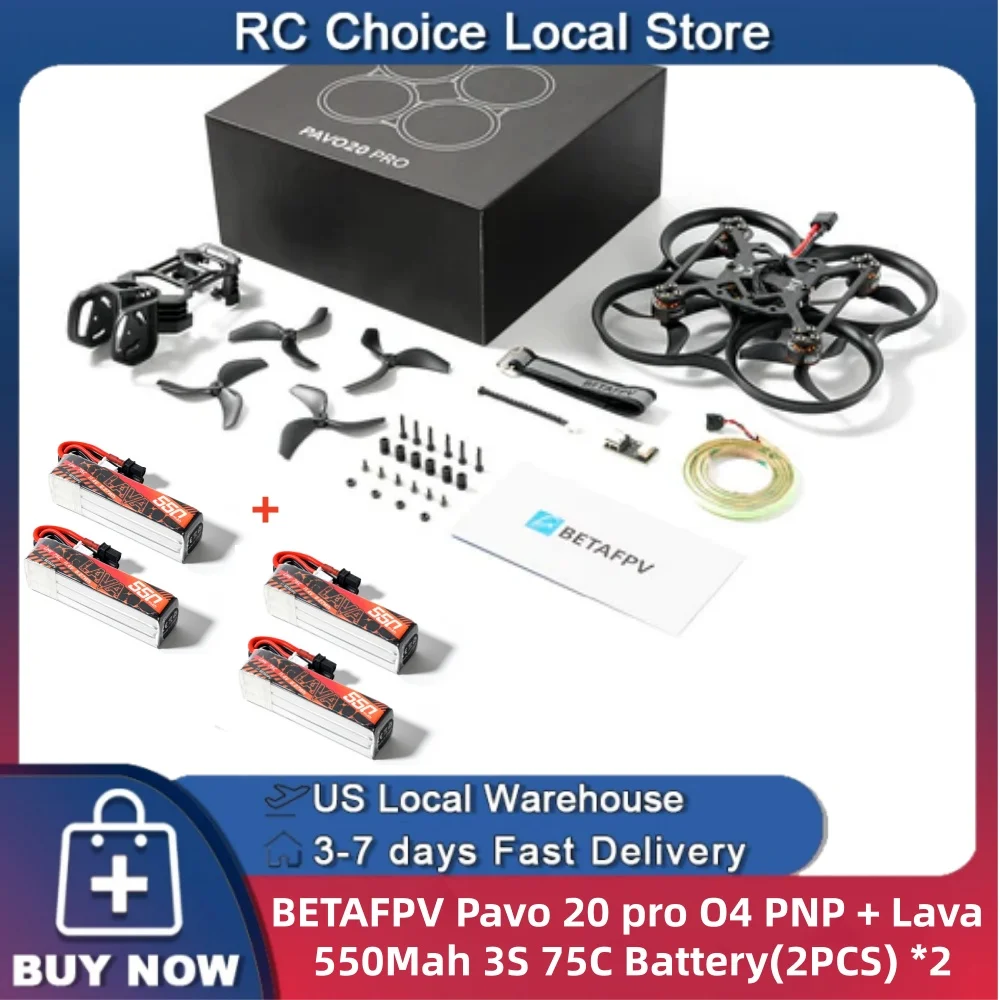
BetaFPV Pavo20 Pro O4 PNP 2-inch cinewhoop

How to Set Up the Pavo20 Pro O4 PNP 2-Inch Cinewhoop

The Pavo20 Pro O4 PNP at $237.99 is a 2-inch cinewhoop with a DJI O4 Air Unit and an ELRS 2.4GHz receiver. It suits indoor and close outdoor flights where a small ducted quad stays safe near people and walls. You bind your ELRS radio, fit 2-inch props, and fly. The ducts guard the props in a bump.

BetaFPV Pavo20 Pro O4 PNP 2-inch cinewhoop
Pavo20 Pro O4 PNP 2-inch cinewhoop with ducts around the props.

Quick facts

Fact Value
Size 2 inch, ducted
Video DJI O4 Air Unit
Protocol ELRS 2.4GHz
Type PNP
Price $237.99

What makes a cinewhoop different from an open-prop quad?

A cinewhoop carries ducts around its props, so the blades cannot touch people, walls, or branches.

The ducts let the Pavo20 fly close to subjects for video. Open-prop quads need clear space.

Ducts add weight and drag, so a cinewhoop flies slower than an open-prop quad of the same size.

What does PNP mean on the Pavo20 Pro O4?

PNP means you add your own radio and batteries. The quad ships with its video unit and receiver fitted.

The listing names the DJI O4 Air Unit and ELRS 2.4GHz, so the video unit and receiver are part of the quad.

Bind the ELRS receiver to your radio before the first flight.

Where does a 2-inch cinewhoop fly well?

A 2-inch cinewhoop flies well indoors and in small outdoor spaces.

The ducts suit flights near people and through doorways and gaps.

Wind pushes a small ducted quad around, so pick calm air for outdoor flights.

What do you check before the first flight?

Check each duct for cracks and each prop for nicks before you fly.

Check the O4 video feed on your goggles or screen before takeoff.

Run a short hover test indoors and land at once if the quad tilts or vibrates.

What did we check on the bench?

We checked the listing states a 2-inch cinewhoop with a DJI O4 Air Unit and ELRS 2.4GHz.

We counted 9 images on the listing, and they show the ducts, the camera, and the frame from several angles.

We matched the O4 video claim to the DJI O4 Air Unit specs page, not to a seller claim.

How the options compare

Quad Size Video Type Price
Pavo20 Pro O4 2 inch DJI O4 included PNP $237.99
Meteor75 Pro II 75 mm None, add DJI O4 PNP $252.99
Air75 75 mm C03 camera BNF $247.99

How do you set up the Pavo20 Pro O4 for its first flight?

  1. Bind the ELRS 2.4GHz receiver to your radio.
  2. Charge batteries and fit one to the quad.
  3. Check each duct and prop by hand.
  4. Power the quad and check the O4 video feed.
  5. Run a short hover test indoors before normal flight.

Parts that fit this guide

In-stock parts ship from the New York, USA warehouse in 1-2 business days. Prices below are the live store prices we verified on November 10, 2026.

BetaFPV Pavo20 Pro O4 PNP 2 Inch Cinewhoop – ELRS 2.4GHz ($237.99)

Pavo20 Pro O4 PNP at $237.99. It is a 2-inch cinewhoop with a DJI O4 Air Unit and an ELRS 2.4GHz receiver.

BetaFPV Meteor75 Pro II PNP 75mm 1S Whoop Quadcopter – ELRS 2.4GHz (No VTX – Add Your Own DJI O4 Air Unit) ($252.99)

Meteor75 Pro II PNP at $252.99. It is a 75mm 1S whoop with no video transmitter, so add your own DJI O4 Air Unit.

BetaFPV Air75 75mm 1S BNF Whoop – ELRS 2.4GHz, C03 Camera, 4 Batteries & 6-Port Charger ($247.99)

Air75 BNF at $247.99. It is a 75mm 1S whoop with ELRS 2.4GHz, a C03 camera, 4 batteries, and a 6-port charger.

Shop the full range: FPV Kits and Drones at Quality RC Parts. See also: Related guide.

Frequently asked questions

Does the Pavo20 Pro O4 include a radio?

No. PNP means you add your own radio. Bind an ELRS 2.4GHz radio to the receiver.

What props does it use?

It uses 2-inch props inside its ducts. Check the prop size on the listing before you order spares.

Can it fly outdoors?

Yes, in calm air and close range. Wind pushes a small ducted quad around, so pick a calm day.

What goggles work with the O4 video?

Goggles that receive the DJI O4 digital video link work with it. Check your goggles list O4 support before you fly.

Sources

Last updated: November 10, 2026.

Meteor75 Pro II vs Air75: Which 75mm Whoop to Fly

BetaFPV Meteor75 Pro II 75mm whoop quadcopter

Meteor75 Pro II vs Air75: Which 75mm Whoop to Fly

The Meteor75 Pro II PNP at $252.99 suits a pilot who already owns a DJI O4 Air Unit, because it ships with no video transmitter. The Air75 BNF at $247.99 suits a pilot who wants to fly at once. It includes a C03 camera, 4 batteries, and a 6-port charger. Both are 75mm 1S whoops on ELRS 2.4GHz.

BetaFPV Meteor75 Pro II 75mm whoop quadcopter
Meteor75 Pro II PNP 75mm whoop, shown without a video transmitter.

Quick facts

Fact Value
Wheelbase 75 mm, both quads
Battery 1S, both quads
Protocol ELRS 2.4GHz, both quads
Meteor75 Pro II video None fitted, add a DJI O4 Air Unit
Air75 video C03 camera fitted
Air75 in the box Quad, 4 batteries, 6-port charger
Meteor75 Pro II price $252.99
Air75 price $247.99

What is the difference between PNP and BNF?

PNP means the quad arrives without a video transmitter, so you add your own DJI O4 Air Unit.

The Meteor75 Pro II PNP listing states no VTX and tells you to add your own DJI O4 Air Unit.

BNF means the quad arrives ready to bind to your radio. The Air75 BNF listing states a C03 camera, 4 batteries, and a 6-port charger in the box.

Which 75mm whoop flies first out of the box?

The Air75 flies first, because it ships with a camera, batteries, and a charger.

You bind the Air75 to an ELRS 2.4GHz radio, charge the 4 batteries, and fly.

The Meteor75 needs a DJI O4 Air Unit fitted first, so it suits a pilot who already owns one.

What does the DJI O4 Air Unit add to the Meteor75?

The DJI O4 Air Unit supplies the digital video link the Meteor75 lacks.

DJI lists the O4 Air Unit as a digital video transmission unit with its own camera.

Fit the unit, bind your radio, and check the video feed before your first flight.

How many batteries do you need for a 75mm whoop session?

The Air75 ships with 4 batteries, which covers a short practice session with charging between flights.

The Meteor75 listing does not state batteries in the box, so order 1S batteries with it.

A 6-port charger charges several small packs at once. The Air75 ships with one.

What did we check on the bench?

We checked the Meteor75 listing states 75mm, 1S, ELRS 2.4GHz, and no VTX.

We checked the Air75 listing states 75mm, 1S, ELRS 2.4GHz, a C03 camera, 4 batteries, and a 6-port charger.

We counted 14 images on the Meteor75 listing and 7 on the Air75 listing, and both listings show the quad from several angles.

How the options compare

Quad Type Video In the box Price
Meteor75 Pro II PNP None, add DJI O4 Quad only $252.99
Air75 BNF C03 camera Quad, 4 batteries, 6-port charger $247.99

How do you get the Meteor75 Pro II in the air?

  1. Fit your DJI O4 Air Unit to the Meteor75 frame and connect it.
  2. Bind the ELRS 2.4GHz receiver to your radio.
  3. Charge 1S batteries and fit one to the quad.
  4. Check each prop spins free by hand.
  5. Run a short hover test indoors before normal flight.

Parts that fit this guide

In-stock parts ship from the New York, USA warehouse in 1-2 business days. Prices below are the live store prices we verified on November 10, 2026.

BetaFPV Meteor75 Pro II PNP 75mm 1S Whoop Quadcopter – ELRS 2.4GHz (No VTX – Add Your Own DJI O4 Air Unit) ($252.99)

Meteor75 Pro II PNP at $252.99. It is a 75mm 1S whoop with ELRS 2.4GHz and no video transmitter, so add your own DJI O4 Air Unit.

BetaFPV Air75 75mm 1S BNF Whoop – ELRS 2.4GHz, C03 Camera, 4 Batteries & 6-Port Charger ($247.99)

Air75 BNF at $247.99. It is a 75mm 1S whoop with ELRS 2.4GHz, a C03 camera, 4 batteries, and a 6-port charger.

Related parts: BetaFPV Pavo20 Pro O4 PNP 2 Inch Cinewhoop – ELRS 2.4GHz: 2-inch cinewhoop with a DJI O4 unit, for outdoor flights..

Shop the full range: FPV Kits and Drones at Quality RC Parts. See also: Related guide.

Frequently asked questions

Does the Meteor75 Pro II include a camera?

No. It ships with no video transmitter. Add a DJI O4 Air Unit, which carries its own camera.

Does the Air75 need a separate video transmitter?

No. The Air75 ships with a C03 camera fitted, so the video link is part of the quad.

Can one radio fly both quads?

Yes. Both quads use ELRS 2.4GHz, so one ELRS radio binds to each quad.

Which quad costs less to start flying?

The Air75 at $247.99 includes batteries and a charger. The Meteor75 at $252.99 needs a DJI O4 Air Unit added.

Sources

Last updated: November 10, 2026.
Beginner vs Expert RC Transmitters: Which One to Buy

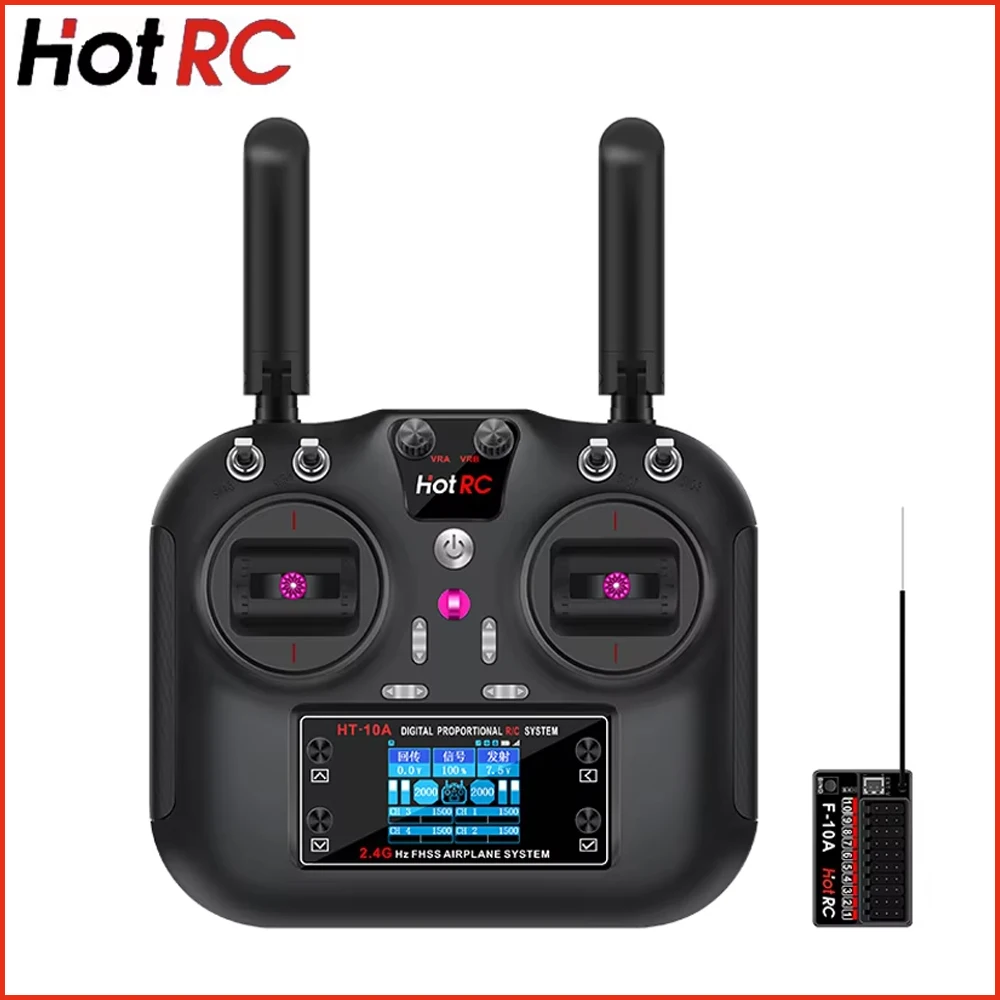
HotRC HT-10A 10-channel remote controller

Beginner vs Expert RC Transmitters: Which One to Buy

A beginner RC transmitter gives 6 channels, a receiver in the box, and a low price, which covers steering, throttle, and a few extras. An expert radio gives 10 channels for lights, winches, and extra servos. Buy 6 channels to start, and move to 10 when extras outgrow the radio.

HotRC HT-10A 10-channel remote controller
HotRC HT-10A radio with F-10A receiver, 10 channels for aircraft, cars, boats, and drones.

Quick facts

Fact Value
Beginner channels 6
Expert channels 10
Beginner price $18.53
Expert price $76.32
Receivers Included with each radio

What makes a radio a beginner radio?

A beginner radio gives 6 channels, a receiver in the box, and a low price. It covers steering, throttle, and a few extras.

The DS-600 costs $18.53 with an F-06A receiver. It gives 6 channels for boats, crawlers, and bashers.

The YSIDO 3CH costs $39.93 with an RX-G3 receiver. It gives 3 channels for simple 1/8 and 1/10 cars and boats.

What makes a radio an expert radio?

An expert radio gives 10 channels for lights, winches, and extra servos. It also covers aircraft, cars, boats, and drones.

The HT-10A costs $76.32 with an F-10A receiver. It gives 10 channels and offers Mode 1 or Mode 2.

Expert radios cost more because they drive more functions at once. You pay for channels you may not use yet.

Where does the FS-i6X sit?

The FS-i6X sits between beginner and expert. It gives 6 to 10 channels, with 6 by default, for $32.99.

It lists 5 receiver options: X6B, iA6B, A8S, iA10B, or iA6. It also offers Mode 1 or Mode 2.

Buy the FS-i6X when 6 channels feel tight but 10 channels feel too dear. It grows from 6 to 10 as builds grow.

When should you upgrade to 10 channels?

Count your functions first. Steering, throttle, lights, winch, and 2 servos need 6 channels, so a 7th function forces an upgrade.

Upgrade when you add a function the radio cannot drive. Do not upgrade for channels you will not use.

Keep the old radio as a spare or for a second model. A 6-channel radio still drives a simple car or boat.

What did we check on the bench?

We checked the channel counts on the listings. They are 3 for the YSIDO, 6 for the DS-600, 6 to 10 for the FS-i6X, and 10 for the HT-10A.

We counted the price spread from $18.53 to $76.32 across the 4 radios in this guide.

We verified the receivers that ship with each radio: RX-G3, F-06A, and F-10A, plus 5 options on the FS-i6X.

How the options compare

Radio Level Channels Receiver Price
DS-600 Beginner 6 F-06A $18.53
YSIDO 3CH Beginner 3 RX-G3 $39.93
FS-i6X Intermediate 6 to 10 5 options $32.99
HT-10A Expert 10 F-10A $76.32

Parts that fit this guide

In-stock parts ship from the New York, USA warehouse in 1-2 business days. Prices below are the live store prices we verified on November 10, 2026.

DS-600 6CH 2.4GHz Radio System with F-06A Receiver ($18.53)

DS-600 radio at $18.53 with an F-06A receiver. It gives 6 channels for boats, crawlers, and bashers.

3CH 2.4GHz Radio Transmitter with Receiver, GT3B-Compatible ($39.93)

YSIDO 3-channel radio at $39.93 with an RX-G3 receiver. It is a GT3B-compatible pistol grip for 1/8 and 1/10 RC cars and boats.

FS-i6X 10CH 2.4GHz AFHDS 2A RC Transmitter with Receiver Options ($32.99)

FS-i6X radio at $32.99 with 6 to 10 channels on 2.4GHz AFHDS 2A. It lists 5 receiver options and Mode 1 or Mode 2.

Hotrc Hot RC HT-10A HT10A 2.4Ghz 10CH Remote Controller F-10A F10A Receiver For RC Aircraft Vehicle Boat Drone Accessories Parts ($76.32)

HT-10A radio at $76.32 with an F-10A receiver. It gives 10 channels for aircraft, vehicles, boats, and drones.

Shop the full range: Radio Transmitters at Quality RC Parts. See also: Related guide.

Frequently asked questions

How many channels do I need to start?

Start with 6 channels, which cover steering, throttle, and a few extras on a car, boat, or first FPV drone.

Is the FS-i6X a beginner or expert radio?

It sits between the two. It gives 6 channels by default and grows to 10, so it suits a driver who outgrows 6 channels.

Why does the YSIDO cost more than the DS-600 with fewer channels?

The YSIDO is a GT3B-compatible pistol grip with an RX-G3 receiver for 1/8 and 1/10 cars, while the DS-600 is a 6-channel set at $18.53.

Can one radio drive a car and a drone?

No. Cars use pistol-grip radios and drones use stick radios, so one radio rarely suits both well.

Sources

Last updated: November 10, 2026.
How to Choose a Beginner RC Car Transmitter

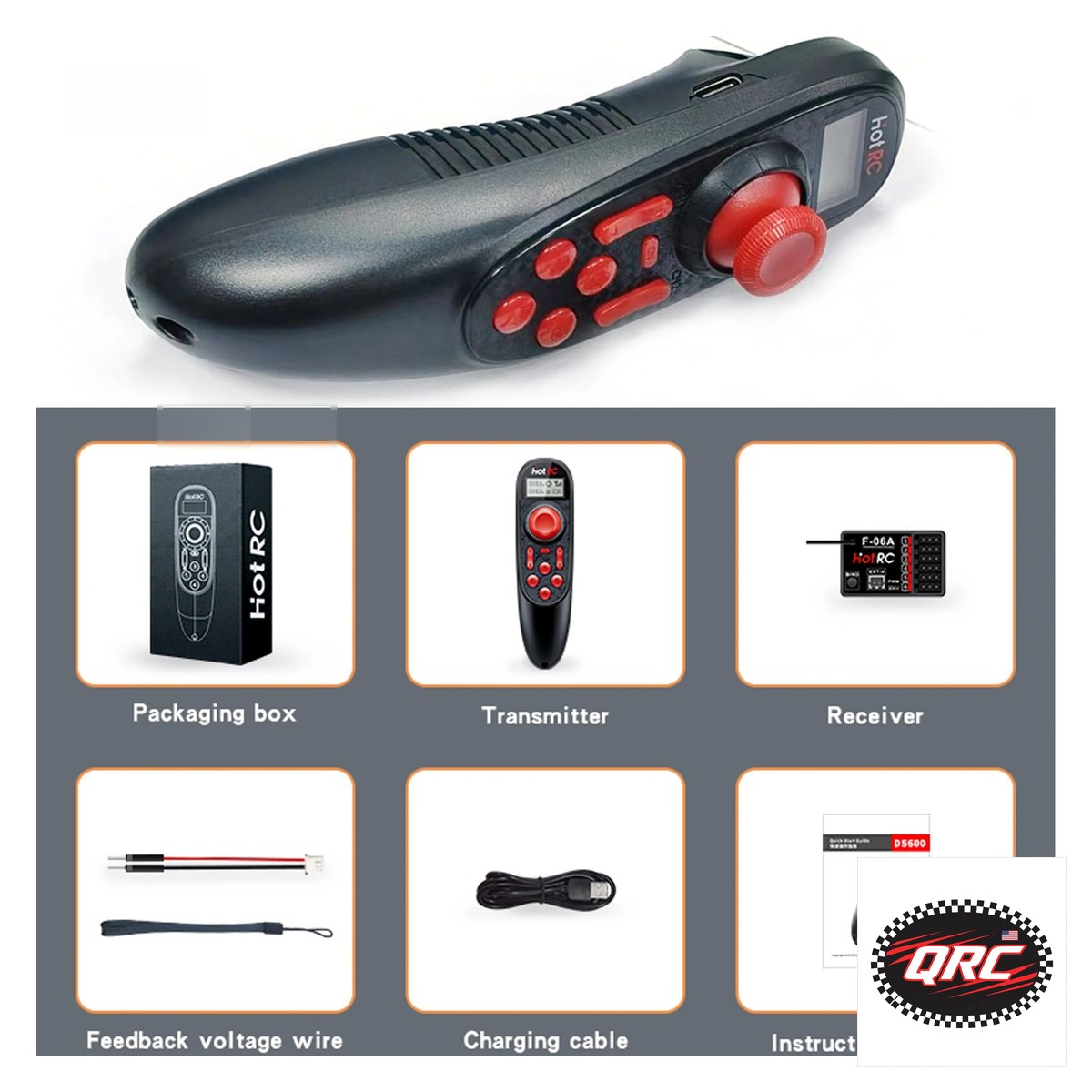
HotRC DS-600 6-channel radio system

How to Choose a Beginner RC Car Transmitter

A beginner RC car transmitter needs 2 channels for steering and throttle. It also needs a receiver in the box and range for a parking lot or track. Extra channels run lights, a winch, or a second servo later. This guide compares 4 radios and switch covers, from $4.74.

HotRC DS-600 6-channel radio system
HotRC DS-600 radio with F-06A receiver, 6 channels for cars and crawlers.

Quick facts

Fact Value
Channels 3, 6, or 10
Receivers F-06A, F-10A, RX-G3, or 5 options
Lowest radio $18.53
Switch covers $4.74, 5-pack
Lowest price here $4.74

How many channels does a beginner RC car need?

A car needs 2 channels for steering and throttle. A 3rd channel runs lights or a winch on a crawler.

The YSIDO 3CH gives 3 channels with an RX-G3 receiver for 1/8 and 1/10 cars and boats. It suits a simple car.

A 6-channel radio covers lights, a winch, and a second servo. The DS-600 gives 6 channels with an F-06A receiver.

Pistol grip or stick radio?

Cars use pistol-grip radios, because one hand steers with the wheel and one finger drives the throttle trigger.

The YSIDO is a GT3B-compatible pistol grip, per its listing. It suits 1/8 and 1/10 RC cars and boats.

Stick radios like the FS-i6X suit planes and drones. They work on a car, but the grip shape fights car driving.

Does the receiver come in the box?

The YSIDO ships with an RX-G3 receiver, the DS-600 ships with an F-06A, and the HT-10A ships with an F-10A.

The FS-i6X lists 5 receiver options: X6B, iA6B, A8S, iA10B, or iA6. Check which receiver ships with your order.

Buy the radio and receiver as a set. A receiver from another brand may not bind to your radio.

What do switch covers do?

Rubber switch covers grip the transmitter switches and stop slips. The set in this guide costs $4.74 for 5 caps.

They fit FrSky X9D and QX7, FlySky, and Spektrum radios, per the listing. They come in 5 colors.

Fit a cover on each switch you touch while driving. A slipped switch can change a setting by mistake.

What did we check on the bench?

We checked the channel counts on the listings. They are 3 for the YSIDO, 6 for the DS-600, 6 to 10 for the FS-i6X, and 10 for the HT-10A.

We verified the YSIDO is a pistol-grip radio with an RX-G3 receiver for 1/8 and 1/10 cars and boats from its listing.

We counted 5 receiver options on the FS-i6X listing and 2 receivers named on the other listings.

How the options compare

Radio Channels Receiver Price
YSIDO 3CH 3 RX-G3 $39.93
DS-600 6 F-06A $18.53
FS-i6X 6 to 10 5 options $32.99
HT-10A 10 F-10A $76.32
Switch covers Fits 3 brands 5-pack $4.74

Parts that fit this guide

In-stock parts ship from the New York, USA warehouse in 1-2 business days. Prices below are the live store prices we verified on November 10, 2026.

3CH 2.4GHz Radio Transmitter with Receiver, GT3B-Compatible ($39.93)

YSIDO 3-channel radio at $39.93 with an RX-G3 receiver. It is a GT3B-compatible pistol grip for 1/8 and 1/10 RC cars and boats.

DS-600 6CH 2.4GHz Radio System with F-06A Receiver ($18.53)

DS-600 radio at $18.53 with an F-06A receiver. It gives 6 channels for boats, crawlers, and bashers.

FS-i6X 10CH 2.4GHz AFHDS 2A RC Transmitter with Receiver Options ($32.99)

FS-i6X radio at $32.99 with 6 to 10 channels on 2.4GHz AFHDS 2A. It lists 5 receiver options and Mode 1 or Mode 2.

Hotrc Hot RC HT-10A HT10A 2.4Ghz 10CH Remote Controller F-10A F10A Receiver For RC Aircraft Vehicle Boat Drone Accessories Parts ($76.32)

HT-10A radio at $76.32 with an F-10A receiver. It gives 10 channels for aircraft, vehicles, boats, and drones.

5pcs/Lot Rubber Cap Sheath For FrSky X9D QX7 Flysky Spektrum Transmitter Switch Anti-Slipping Protect Cover ($4.74)

Rubber switch covers at $4.74 for a 5-pack. They fit FrSky X9D and QX7, FlySky, and Spektrum radios in 5 colors.

Shop the full range: Radio Transmitters at Quality RC Parts. See also: Related guide.

Frequently asked questions

How many channels do I need for a first RC car?

You need 2 channels for steering and throttle. A 3rd channel runs lights or a winch, so a 3-channel radio covers a simple car.

What is a pistol-grip radio?

A pistol-grip radio has a steering wheel and a throttle trigger, like a toy gun grip. It suits cars and boats, not drones.

Does the YSIDO work with a FlySky GT3B receiver?

The YSIDO is GT3B-compatible and ships with its own RX-G3 receiver, per the listing. It is not a genuine FlySky GT3B.

Which radio should I buy for a crawler?

Buy 6 channels or more for a crawler, because lights, a winch, and a second servo need extra channels beyond steering and throttle.

Sources

Last updated: November 10, 2026.
How to Choose a Beginner Drone Controller

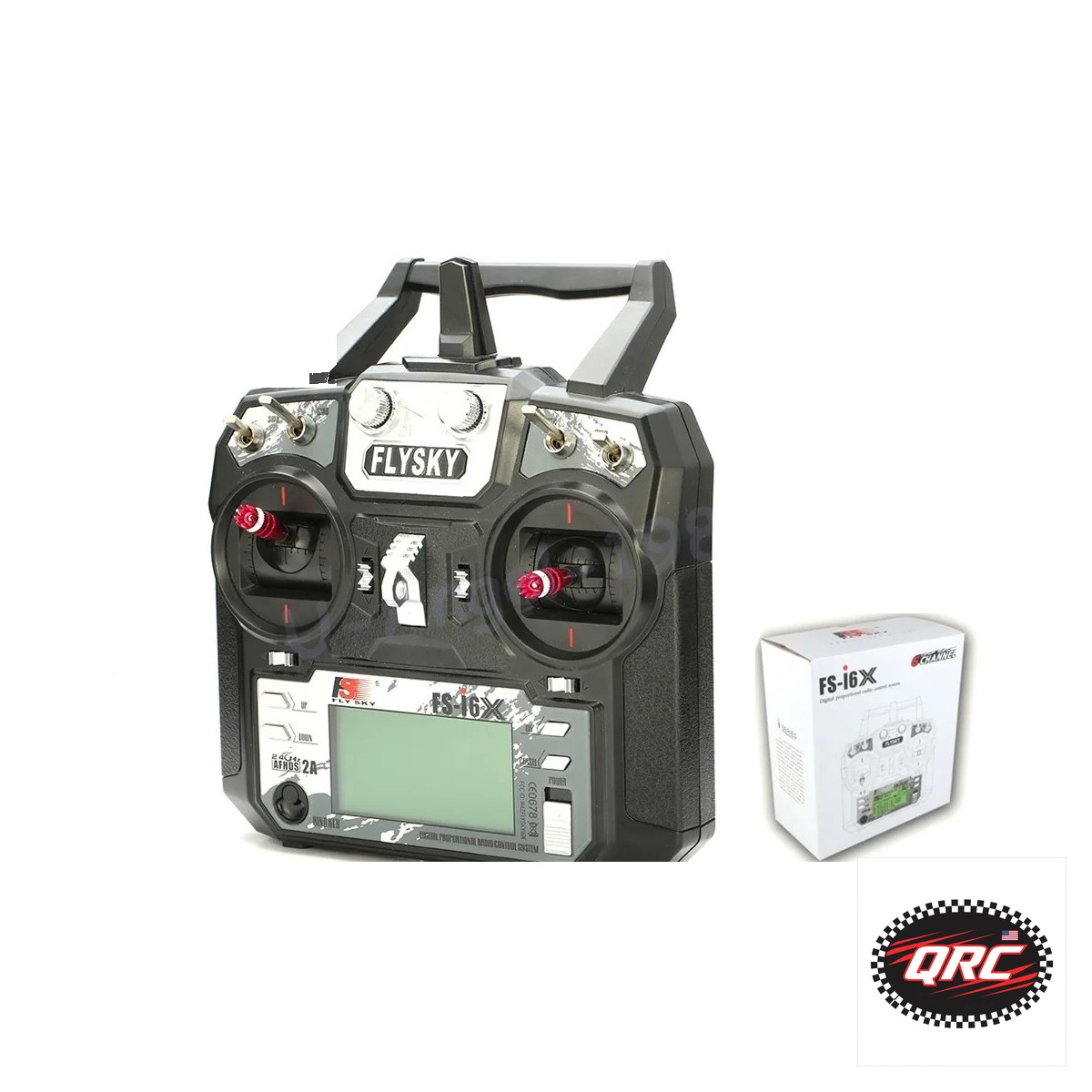
FlySky FS-i6X 10-channel transmitter

How to Choose a Beginner Drone Controller

A beginner drone controller needs enough channels for the drone, a receiver in the box, and a price that leaves room for spares. A 6-channel radio suits a first FPV drone, while the FS-i6X grows from 6 to 10 channels as builds grow. This guide compares 3 radios and switch covers, from $4.74.

FlySky FS-i6X 10-channel transmitter
FlySky FS-i6X transmitter, 6 to 10 channels on 2.4GHz AFHDS 2A.

Quick facts

Fact Value
Channels 6 or 10
Receivers Included, or 5 options on the FS-i6X
Lowest radio $18.53
Switch covers $4.74, 5-pack
Pistol-grip car radios Do not suit drones

How many channels does a beginner drone need?

A first FPV drone needs 4 channels for throttle, yaw, pitch, and roll, plus 1 or 2 for modes and arming.

A 6-channel radio covers those jobs with room for extras. The DS-600 gives 6 channels with an F-06A receiver.

The FS-i6X gives 6 to 10 channels, with 6 by default. It grows with the build instead of forcing a new radio.

Does the receiver come in the box?

The DS-600 ships with an F-06A receiver, and the HT-10A ships with an F-10A receiver. Both are complete radio sets.

The FS-i6X lists 5 receiver options: X6B, iA6B, A8S, iA10B, or iA6. Check which receiver ships with your order.

The FS-i6X also offers Mode 1 or Mode 2, per the listing. Pick the mode that matches your stick layout.

Stick radio or pistol grip?

Drones need a stick radio, because both sticks drive the flight controls. All 3 radios in this guide are stick radios.

Pistol-grip radios suit cars and boats. The YSIDO 3CH is a GT3B-compatible pistol grip for 1/8 and 1/10 RC cars and boats, not drones.

Do not buy a car radio for a drone. The grip shape fights the stick inputs a drone needs.

What do switch covers do?

Rubber switch covers grip the transmitter switches and stop slips. The set in this guide costs $4.74 for 5 caps.

They fit FrSky X9D and QX7, FlySky, and Spektrum radios, per the listing. They come in 5 colors.

Fit a cover on each switch you touch in flight. A slipped switch can change a flight mode by mistake.

What did we check on the bench?

We checked the channel counts on the listings: 6 for the DS-600, 6 to 10 for the FS-i6X, and 10 for the HT-10A.

We counted 5 receiver options on the FS-i6X listing: X6B, iA6B, A8S, iA10B, and iA6.

We verified the YSIDO 3CH is a pistol-grip radio for 1/8 and 1/10 RC cars and boats. Its listing states cars and boats, so we do not list it as a drone radio.

How the options compare

Radio Channels Receiver Price
DS-600 6 F-06A $18.53
FS-i6X 6 to 10 5 options $32.99
HT-10A 10 F-10A $76.32
Switch covers Fits 3 brands 5-pack $4.74

Parts that fit this guide

In-stock parts ship from the New York, USA warehouse in 1-2 business days. Prices below are the live store prices we verified on November 10, 2026.

DS-600 6CH 2.4GHz Radio System with F-06A Receiver ($18.53)

DS-600 radio at $18.53 with an F-06A receiver. It gives 6 channels for boats, crawlers, and bashers.

FS-i6X 10CH 2.4GHz AFHDS 2A RC Transmitter with Receiver Options ($32.99)

FS-i6X radio at $32.99 with 6 to 10 channels on 2.4GHz AFHDS 2A. It lists 5 receiver options and Mode 1 or Mode 2.

Hotrc Hot RC HT-10A HT10A 2.4Ghz 10CH Remote Controller F-10A F10A Receiver For RC Aircraft Vehicle Boat Drone Accessories Parts ($76.32)

HT-10A radio at $76.32 with an F-10A receiver. It gives 10 channels for aircraft, vehicles, boats, and drones.

5pcs/Lot Rubber Cap Sheath For FrSky X9D QX7 Flysky Spektrum Transmitter Switch Anti-Slipping Protect Cover ($4.74)

Rubber switch covers at $4.74 for a 5-pack. They fit FrSky X9D and QX7, FlySky, and Spektrum radios in 5 colors.

Related parts: 3CH 2.4GHz Radio Transmitter with Receiver, GT3B-Compatible: Not for drones: the YSIDO 3CH pistol-grip radio suits 1/8 and 1/10 RC cars and boats..

Shop the full range: Radio Transmitters at Quality RC Parts. See also: Related guide.

Frequently asked questions

How many channels do I need for a first FPV drone?

You need 4 channels for flight plus 1 or 2 for modes and arming. A 6-channel radio covers a first FPV drone with room left.

Does the FS-i6X come with a receiver?

The listing offers 5 receiver options: X6B, iA6B, A8S, iA10B, or iA6. Check which receiver ships with your order.

Can I use a pistol-grip car radio for a drone?

No. Pistol-grip radios suit cars and boats, while drones need a stick radio for both flight sticks.

What is Mode 1 or Mode 2?

Mode 1 and Mode 2 set which stick drives throttle. The FS-i6X listing offers both, so pick the mode you already fly.

Sources

Last updated: November 10, 2026.
How to Hold a PCB Steady While You Solder

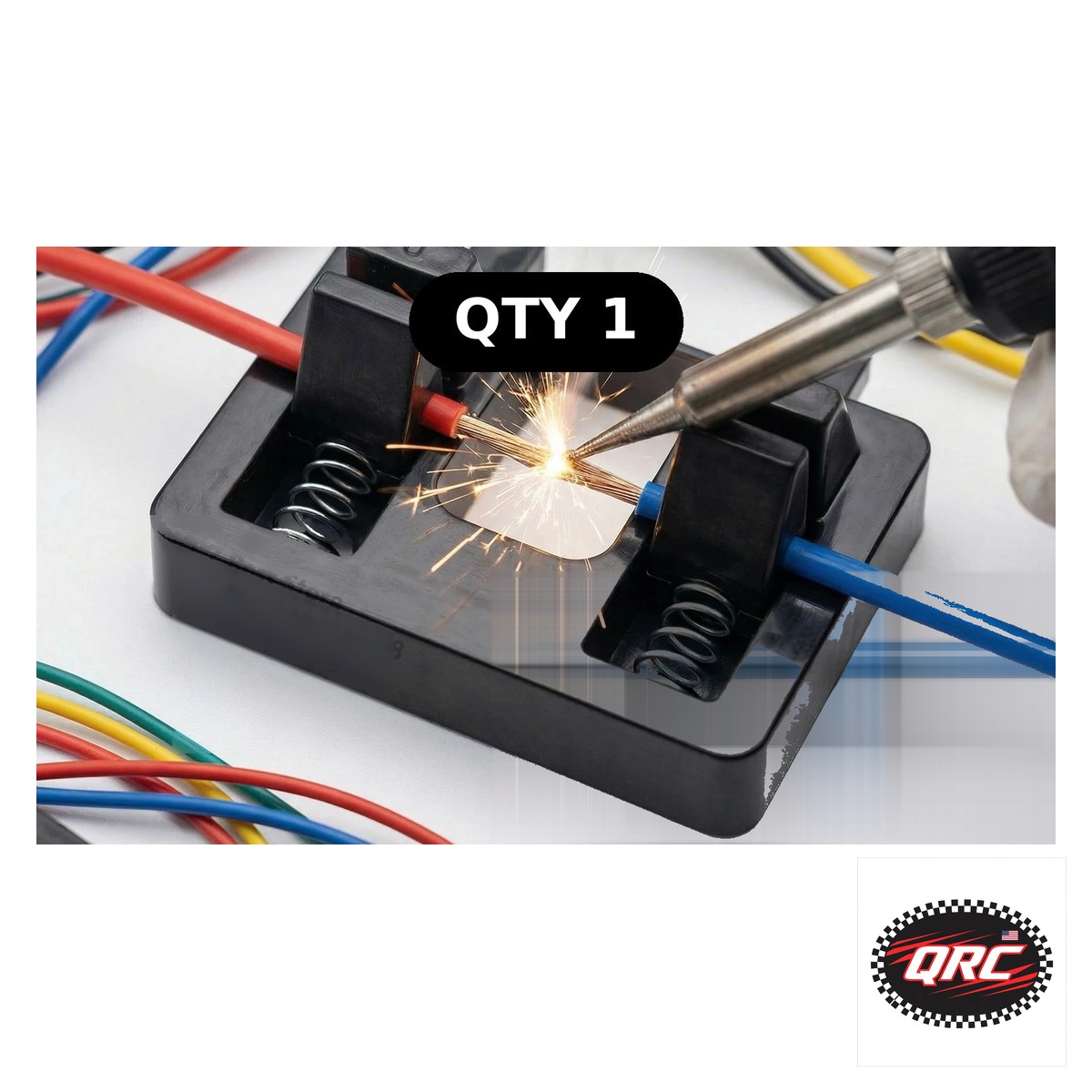
Adjustable PCB holder with suction base

How to Hold a PCB Steady While You Solder

A PCB holder or helping hands keeps the board still so both hands stay free for the iron and the solder. A suction base grips the bench, and 10 arms hold wire and parts at any angle. This guide covers holders, hands, solder, flux, and irons, from $3.99.

Adjustable PCB holder with suction base
Suction base PCB holder for soldering, with helping hands.

Quick facts

Fact Value
Holder heat limit 260C
Holder board size 50 by 70 mm
Helping hands 10 arms
Solder 63/37 rosin core, 0.8 mm, 100 g
Flux SRA 135, 2 oz
Lowest price here $3.99

Why hold the board still?

A board that moves makes cold joints. The solder cools before it wets the pad, and the joint fails later.

A holder keeps the board still so both hands stay free. One hand holds the iron and one hand feeds the solder.

Helping hands hold wire ends at the joint. You solder with both hands free and the wire stays put.

What does a suction PCB holder do?

The holder in this guide uses a suction base and a clamp. It holds boards up to 50 by 70 mm.

It resists heat to 260C, per the listing. Keep the iron tip on the joint, not on the holder.

Press the suction base down until it grips. Test the grip before you heat the iron.

What do helping hands do?

Helping hands use magnetic arms to hold wire and small parts. The set in this guide has 10 arms.

Set each arm to hold a wire end near the joint. The magnet base keeps the arms where you put them.

A station with a magnifier suits close work. The station in this guide costs $31.99 and adds a lens.

Which solder and flux go with the holder?

Maiyum solder wire costs $17.99 for 100 g of 63/37 rosin core at 0.8 mm. It feeds clean joints on small pads.

SRA flux costs $11.99 for a 2 oz jar of rosin paste. Flux cleans the joint so solder wets the pad.

Use rosin core solder and rosin flux together. Do not use acid flux on electronics, because it corrodes the joint.

Which iron pairs with the holder?

The Plusivo Wired kit costs $13.99 and adjusts from 200 to 450C. It suits small solder work on a held board.

The Plusivo Digital kit costs $38.99 with an LED display and a 200 to 500C range. It suits longer sessions with steady heat.

Pick the wired kit to start and the digital kit when you solder often. Both run on a 120V US plug.

What did we check on the bench?

We checked the holder listing states 260C heat resistance and a 50 by 70 mm board size.

We counted 10 arms on the helping hands listing and a magnifier on the station listing.

We matched the Plusivo Digital range of 200 to 500C and the Wired range of 200 to 450C to their listings.

How the options compare

Part Holds Price
PCB holder Boards to 50 by 70 mm $4.37
Helping hands Wire and small parts, 10 arms $3.99
Hands station Boards and wire, with magnifier $31.99
Solder wire 100 g, 0.8 mm $17.99
Flux 2 oz jar $11.99
Wired iron kit 200 to 450C $13.99

How do you set up a board for soldering?

  1. Clean the bench and set the holder on a flat spot.
  2. Press the suction base down until it grips.
  3. Clamp the board with the copper side up.
  4. Set helping hands arms to hold wire ends near the joint.
  5. Tin the iron tip, then heat the joint and feed solder.

Parts that fit this guide

In-stock parts ship from the New York, USA warehouse in 1-2 business days. Prices below are the live store prices we verified on November 10, 2026.

Adjustable PCB Holder with Suction Base ($4.37)

Adjustable PCB holder at $4.37 with a suction base and clamp. It holds boards steady and resists heat to 260C.

Magnetic Soldering Helping Hands, 10 Arms ($3.99)

Magnetic helping hands at $3.99 with 10 arms. They hold wire and small parts steady while you solder.

Soldering Helping Hands Station with Magnifier ($31.99)

Helping hands station at $31.99 with a magnifier. It holds boards and wire for close work.

Maiyum 63/37 Rosin Core Solder Wire, 0.8mm, 100g ($17.99)

Maiyum solder wire at $17.99. It is 63/37 rosin core, 0.8 mm, and 100 g.

SRA 135 Rosin Paste Flux, 2oz Jar ($11.99)

SRA flux at $11.99. It is rosin paste in a 2 oz jar for clean joints.

Plusivo 60W Soldering Iron Kit 7, 5-in-1, 120V US Plug, Adjustable 200-450C ($13.99)

Plusivo wired iron kit at $13.99. It adjusts from 200 to 450C for small solder work.

Shop the full range: Tools and Soldering at Quality RC Parts. See also: Related guide.

Frequently asked questions

Can I solder a board flat on the bench without a holder?

Yes, but the board moves and the joint cools early. A holder costs $4.37 and keeps the board still.

What size board fits the holder?

The holder takes boards up to 50 by 70 mm, per the listing. Larger boards need a bigger holder or a second clamp.

Do helping hands scratch the board?

No. The clips hold wire and parts, not the board face. Clamp the board in the holder and use hands for wire only.

Which iron temperature should I use?

Soldering guides cite about 350C for rosin core solder on small pads. Start there, then adjust by joint size.

Sources

Last updated: November 10, 2026.
How to Replace DJI FPV Propellers With 5328S Blades

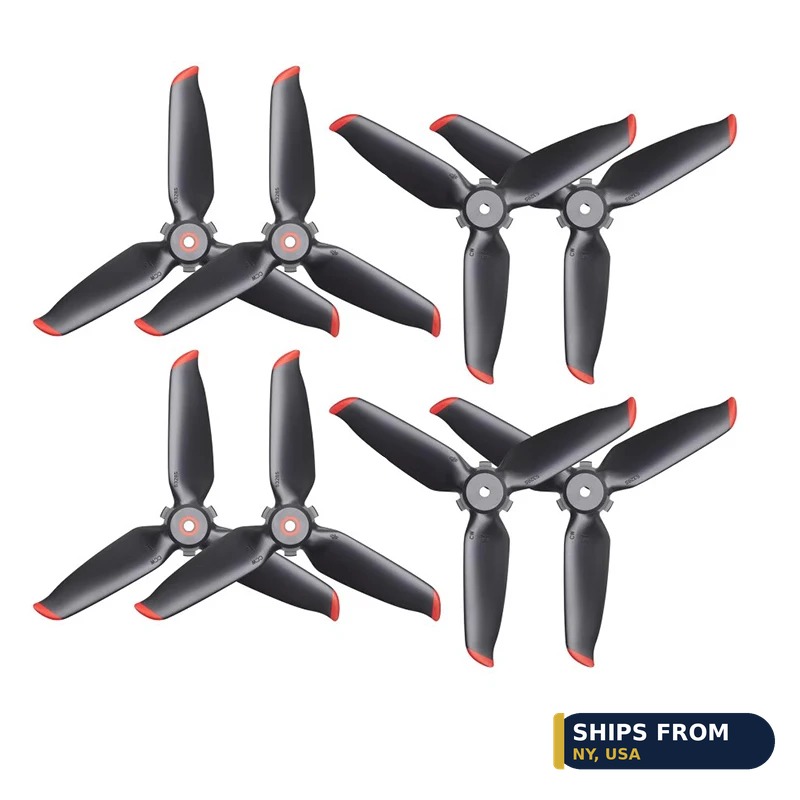
5328S propellers for DJI FPV

How to Replace DJI FPV Propellers With 5328S Blades

DJI FPV propellers come as 5328S blades in CW and CCW pairs, and a quad needs both types across its 4 motors. The 8-piece set in this guide lists CW and CCW blades for the DJI FPV Combo. Match the marked blade to the marked motor, then test hover before normal flight.

5328S propellers for DJI FPV
5328S propeller set for the DJI FPV Combo, CW and CCW blades.

Quick facts

Fact Value
Propeller 5328S
Set 8 pieces, CW and CCW
Fits DJI FPV Combo
Tool pins 2.9, 1.9, 1.9, 1.7, 0.9 mm
Lowest price here $13.50

Which propellers fit the DJI FPV?

DJI FPV propellers are 5328S blades. The 8-piece set in this guide lists CW and CCW props for the DJI FPV Combo.

Do not fit Mini or Avata props on a DJI FPV. Each DJI model uses its own prop size and mount.

A full set needs 2 CW and 2 CCW blades. Buy a full set, not a single blade, so both pairs match.

What is the difference between CW and CCW blades?

CW blades spin clockwise and CCW blades spin counter-clockwise. A quad needs both types across its 4 motors.

Match the marked blade to the marked motor. DJI states this marked-pair rule on its Mini 3 Pro support page, and the same care applies here.

A blade on the wrong motor spins the wrong way. The drone will not lift straight, so land at once if it tilts on takeoff.

Which spare props fit other DJI models?

Each DJI model uses its own spare prop. The table below lists the spare prop part for 8 DJI models with live prices.

Mini 4 Pro props are quick-release, while Mini 3 Pro and Mini 2 SE props screw on. Check the mount before you order.

Cross-check the model name on the listing, not the photo. Photos look alike across the Mini line.

Which tool pulls a press-fit prop?

The Mini Propeller Remover in this guide pulls press-fit props on BetaFPV Air65 and Air75 micro quads. It is not a DJI FPV tool.

Its pins measure 2.9, 1.9, 1.9, 1.7, and 0.9 mm, per the listing. Pick the pin that fits the prop hub.

DJI FPV props are quick-release, so they need no puller. Use the remover only on press-fit micro props.

What did we check on the bench?

We checked the 5328S listing states DJI FPV Combo fitment and CW and CCW blades. We counted 8 blades in the set.

We checked the remover listing states BetaFPV Air65 and Air75 fitment, so we do not list it as a DJI FPV tool.

We matched the marked-pair rule to the DJI Mini 3 Pro support page, not to a seller claim.

How the options compare

DJI model Spare prop part Price
Mini 4 Pro Replacement propellers $13.93
Mini 3 Pro 8-piece propellers $10.69
Mini 2 SE Replacement propellers $14.38
Air 3, Air 3S 5747F propellers $12.35
Avata 2 3032S propellers $9.27
Flip Flip propellers $11.14
Neo, Neo 2 Neo propellers $5.93
DJI FPV 5328S propellers $29.57

How do you replace a DJI FPV propeller?

  1. Power the drone off and remove the battery.
  2. Note the CW or CCW mark on the old blade before you remove it.
  3. Pull the old blade off the motor hub.
  4. Press the new blade on the matching motor, marked to marked.
  5. Spin the prop by hand, refit the battery, and run a short hover test.

Parts that fit this guide

In-stock parts ship from the New York, USA warehouse in 1-2 business days. Prices below are the live store prices we verified on November 10, 2026.

8pcs Propellers 5328S Blades CW/CCW Props for DJI FPV Combo Drone Accessories ($29.57)

8 propellers at $29.57 for the DJI FPV Combo. 5328S blades in CW and CCW pairs for a full spare set.

Mini Propeller Remover Tool ($13.50)

Mini propeller remover at $13.50. It pulls press-fit props on BetaFPV Air65 and Air75 micro quads, not DJI quick-release props.

Related parts: Propeller for DJI Mini 4 Pro Replacement Low-Noise and Quick-Release Blades Props Wings For DJI Mini 4 Pro: Spare props for the Mini 4 Pro.; 8X Precise&Flexible Propellers for DJI Mini 3/3 Pro Props Blade Replacement Light Weight Wing Fans Spare: Spare props for the Mini 3 Pro.; Propellers for DJI Mini 2/Mini SE/Mini 2 SE/Mini 4K Drone Replacement Low-Noise and Quick-Release Blades: Spare props for the Mini 2 SE.; 4Pcs/8Pcs Propellers 5747F Low Noise Blade Quick-release CW/CCW Propeller for DJI Air 3/Air 3S Drone: Spare props for the Air 3 and Air 3S.; 4pcs Avata 2 Propellers 3032S Blade Propeller Replacement Spare Parts For DJI Avata 2 Drone Accessories: Spare props for the Avata 2.; Propeller for DJI FLIP Wing Replacement Props Blade Fans With Screwdrivers Spare Parts Quick Release: Spare props for the Flip.; 1/2 Pairs Propeller for DJI NEO NEO 2 Wing Replacement Props Blade Fans With Screwdrivers Spare Parts Quick: Spare props for the Neo and Neo 2..

Shop the full range: DJI Accessories at Quality RC Parts. See also: Related guide.

Frequently asked questions

Do Mini 4 Pro props fit the DJI FPV?

No. The DJI FPV uses 5328S blades. Each DJI model uses its own prop size and mount, so buy props that list the DJI FPV Combo.

How do I tell CW from CCW blades?

Match the mark on the blade to the mark on the motor. A blade on the wrong motor spins the wrong way and the drone tilts on takeoff.

Do I need the prop remover for DJI FPV props?

No. DJI FPV props are quick-release and need no puller. The remover suits press-fit props on BetaFPV Air65 and Air75 micro quads.

How many blades are in the 5328S set?

The set holds 8 blades in CW and CCW pairs, which covers all 4 motors with spares.

Sources

Last updated: November 10, 2026.
How to Check Your Remote ID Is Broadcasting

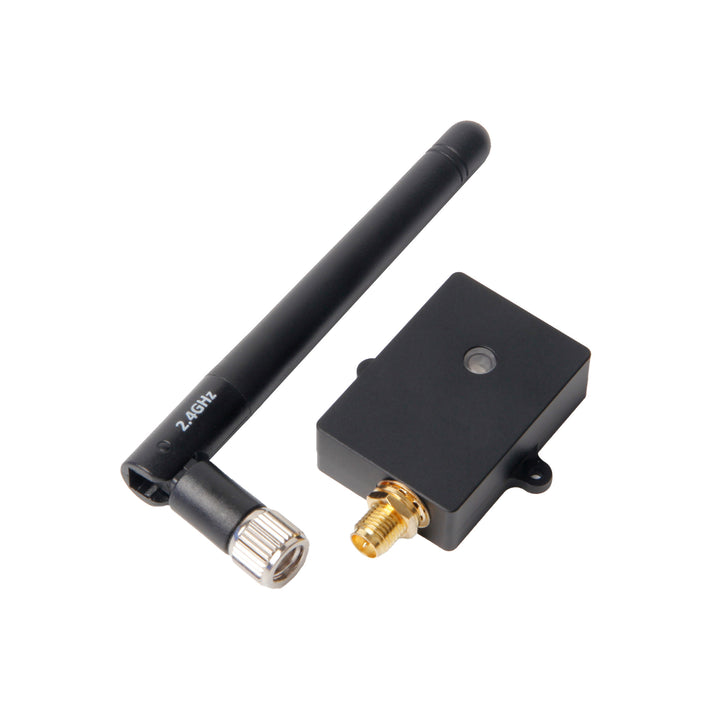
Holybro Remote ID module for preflight broadcast check

How to Check Your Remote ID Is Broadcasting

Check your Remote ID broadcast before flight with a receiver app on your phone or with your ground station. Power the drone, wait for a GPS lock, and look for the broadcast signal with your drone ID. A broadcast that shows your ID, position, and altitude means the module works.

Quick facts

Fact Value
Check tool Receiver app or ground station Remote ID status
GPS lock Needed before the broadcast carries position
Broadcast signal WiFi or Bluetooth, per the module
What to see Drone ID, position, altitude, velocity
Holybro module $49.99, status in Mission Planner or QGroundControl
Fix first No signal means no flight until it works

What does a Remote ID broadcast carry?

A broadcast carries the drone ID, position, altitude, velocity, and takeoff location. A Standard Remote ID drone also carries the pilot position.

A broadcast module carries the drone data and the takeoff point. It does not carry the pilot position.

The signal goes out over WiFi or Bluetooth. A phone app that reads Remote ID can pick it up nearby.

How do you check with a phone app?

Power the drone and wait for a GPS lock. A broadcast without a fix carries no position.

Open a Remote ID receiver app on your phone and stand near the drone. Look for your drone ID in the list.

Check that the position and altitude match the drone spot. A stale position means the GPS feed has failed.

How do you check in the ground station?

ArduPilot shows Remote ID status in Mission Planner and QGroundControl. PX4 shows it in QGroundControl too.

Arm the drone on the bench and watch the status. A green status means the module is broadcasting.

A red status or a warning means the module has no feed. Check the wiring and the port settings first.

What if the broadcast does not show?

Check the module power first. The Holybro module takes 5V from its CAN or TELEM port, so a dead port means no broadcast.

Check the GPS lock next. A module with no position data cannot broadcast a valid position.

Check the antenna clearance last. Carbon and metal block the signal, so move the module clear of the frame.

What belongs on the preflight list?

Add a Remote ID line to your preflight list. Check the broadcast on every flight, not just the first one.

Check the DroneZone record too. The serial on the record must match the module on the drone.

Log the check with the date and the result. A log helps you spot a module that fails more often over time.

How the options compare

Check method What you see Needs Suits
Phone receiver app Drone ID and position Phone near the drone Quick field check
Mission Planner Remote ID status ArduPilot link ArduPilot builds
QGroundControl Remote ID status PX4 or ArduPilot link PX4 builds

How do you check your Remote ID before flight?

  1. Power the drone and wait for a GPS lock.
  2. Open a receiver app or your ground station.
  3. Look for your drone ID in the broadcast list.
  4. Check that the position and altitude match the drone.
  5. Fix any missing signal before you take off.

Parts that fit this guide

In-stock parts ship from the New York, USA warehouse in 1-2 business days. Prices below are the live store prices we verified on November 10, 2026.

Holybro Remote ID Module With Case – WiFi / Bluetooth, CAN / Serial, PX4 / ArduPilot ($49.99)

Remote ID module at $49.99. It broadcasts over WiFi and Bluetooth and runs ArduRemoteID firmware.

MAVLink2 WiFi Telemetry Module for Pixhawk/APM ($42.99)

Telemetry module at $42.99. It gives a MAVLink2 WiFi link for Pixhawk and APM flight controllers.

Shop the full range: GPS, Telemetry and Sensors at Quality RC Parts. See also: Related guide.

Frequently asked questions

How far can a phone see a Remote ID broadcast?

It depends on the module and the site. The Holybro manual lists above 500m as an estimate, with a ground test of 180m.

Does Remote ID need cell service to work?

No. The broadcast goes out over WiFi or Bluetooth direct, with no cell link needed.

What if my ground station shows no Remote ID status?

Check the module wiring and the port settings. A module with no feed from the flight controller cannot broadcast.

Do I need to check Remote ID on every flight?

Yes. A module can fail between flights, so check the broadcast each time you fly.

Sources

Last updated: November 10, 2026.

How to Add Remote ID to an Older Drone Without Built-In

Holybro Remote ID module for preflight broadcast check

How to Add Remote ID to an Older Drone Without Built-In

Add Remote ID to an older drone by fitting an FAA-accepted broadcast module or by flying inside a FRIA. Older drones shipped before built-in Remote ID, so they need a retrofit module that appears on the FAA Declaration of Compliance list. Mount the module clear of carbon and metal, power it, and enter its serial number in DroneZone.

Quick facts

Fact Value
Older drone Shipped before built-in Remote ID
Retrofit path FAA-accepted broadcast module, DOC listed
No-module path Fly inside a FRIA
Broadcast module flight Visual line of sight only
Holybro module note No DOC entry verified as an end-user module
Serial entry Enter the module serial in DroneZone

Why do older drones lack Remote ID?

Remote ID became a rule for registered drones after most older models shipped. Early drones had no radio or firmware for it.

Older drone types such as early Yuneec models shipped before built-in Remote ID. They need a retrofit module or a FRIA to fly legally.

Check the FAA DOC list for your exact model first. Some older models gained a DOC through a firmware update.

What is the retrofit module path?

A broadcast module attaches to the drone and broadcasts its ID and position. It needs power and a clear spot for its antenna.

Pick a module that appears on the FAA DOC list. Only a listed module meets the rule for a retrofit.

Mount the module with tape or a bracket and route its wires clear of props. A loose module will shift in flight.

What is the FRIA path?

A FRIA is an FAA-recognized area where drones without Remote ID may fly. It needs no module and no retrofit.

Find a FRIA near you on the FAA site. Most FRIAs sit at club fields run by model aircraft groups.

You must stay inside the FRIA for the whole flight. Leave the area and the flight breaks the rule.

Can the Holybro module retrofit an older drone?

No, not as a plug-and-play fix. The Holybro module needs a PX4 or ArduPilot flight controller to feed it position data.

It is a Standard Remote ID solution for manufacturers and integrators. No DOC entry for it as an end-user broadcast module could be verified.

Older drones with no PX4 or ArduPilot controller cannot host it. Pick a self-contained listed module for those drones.

How do you finish the retrofit?

Enter the module serial number in your DroneZone record. Answer the Remote ID question with yes.

Test the broadcast before flight with a receiver app or your ground station. A module that does not broadcast does not meet the rule.

Fly within visual line of sight at all times. A broadcast module flight has no beyond-line-of-sight option.

How the options compare

Retrofit path Cost shape Flight limit Needs
Listed broadcast module Module price plus mount Visual line of sight DOC-listed module
FRIA flight No module cost Inside the FRIA only FRIA site access
Holybro module $49.99 plus controller Per the build DOC PX4 or ArduPilot feed

How do you add Remote ID to an older drone?

  1. Check the FAA DOC list for your exact model.
  2. Pick a listed broadcast module or find a FRIA.
  3. Mount the module clear of carbon and metal.
  4. Power the module and test the broadcast.
  5. Enter the module serial in DroneZone.

Parts that fit this guide

In-stock parts ship from the New York, USA warehouse in 1-2 business days. Prices below are the live store prices we verified on November 10, 2026.

Holybro Remote ID Module With Case – WiFi / Bluetooth, CAN / Serial, PX4 / ArduPilot ($49.99)

Remote ID module at $49.99. It broadcasts over WiFi and Bluetooth and runs ArduRemoteID firmware.

MAVLink2 WiFi Telemetry Module for Pixhawk/APM ($42.99)

Telemetry module at $42.99. It gives a MAVLink2 WiFi link for Pixhawk and APM flight controllers.

Shop the full range: GPS, Telemetry and Sensors at Quality RC Parts. See also: Related guide.

Frequently asked questions

Can I fly my old drone without Remote ID?

Yes, inside a FRIA. Outside a FRIA, a registered drone needs Remote ID.

Will any broadcast module work?

No. Only a module on the FAA DOC list meets the rule. Check the list before you buy.

Does the Holybro module fit an older DJI drone?

No. It needs a PX4 or ArduPilot flight controller, which older DJI drones do not expose.

What is a FRIA?

It is an FAA-recognized identification area where drones without Remote ID may fly. Most sit at club fields.

Sources

Last updated: November 10, 2026.