
How to Check Your Remote ID Is Broadcasting
Check your Remote ID broadcast before flight with a receiver app on your phone or with your ground station. Power the drone, wait for a GPS lock, and look for the broadcast signal with your drone ID. A broadcast that shows your ID, position, and altitude means the module works.
Quick facts
| Fact | Value |
|---|---|
| Check tool | Receiver app or ground station Remote ID status |
| GPS lock | Needed before the broadcast carries position |
| Broadcast signal | WiFi or Bluetooth, per the module |
| What to see | Drone ID, position, altitude, velocity |
| Holybro module | $49.99, status in Mission Planner or QGroundControl |
| Fix first | No signal means no flight until it works |
What does a Remote ID broadcast carry?
A broadcast carries the drone ID, position, altitude, velocity, and takeoff location. A Standard Remote ID drone also carries the pilot position.
A broadcast module carries the drone data and the takeoff point. It does not carry the pilot position.
The signal goes out over WiFi or Bluetooth. A phone app that reads Remote ID can pick it up nearby.
How do you check with a phone app?
Power the drone and wait for a GPS lock. A broadcast without a fix carries no position.
Open a Remote ID receiver app on your phone and stand near the drone. Look for your drone ID in the list.
Check that the position and altitude match the drone spot. A stale position means the GPS feed has failed.
How do you check in the ground station?
ArduPilot shows Remote ID status in Mission Planner and QGroundControl. PX4 shows it in QGroundControl too.
Arm the drone on the bench and watch the status. A green status means the module is broadcasting.
A red status or a warning means the module has no feed. Check the wiring and the port settings first.
What if the broadcast does not show?
Check the module power first. The Holybro module takes 5V from its CAN or TELEM port, so a dead port means no broadcast.
Check the GPS lock next. A module with no position data cannot broadcast a valid position.
Check the antenna clearance last. Carbon and metal block the signal, so move the module clear of the frame.
What belongs on the preflight list?
Add a Remote ID line to your preflight list. Check the broadcast on every flight, not just the first one.
Check the DroneZone record too. The serial on the record must match the module on the drone.
Log the check with the date and the result. A log helps you spot a module that fails more often over time.
How the options compare
| Check method | What you see | Needs | Suits |
|---|---|---|---|
| Phone receiver app | Drone ID and position | Phone near the drone | Quick field check |
| Mission Planner | Remote ID status | ArduPilot link | ArduPilot builds |
| QGroundControl | Remote ID status | PX4 or ArduPilot link | PX4 builds |
How do you check your Remote ID before flight?
- Power the drone and wait for a GPS lock.
- Open a receiver app or your ground station.
- Look for your drone ID in the broadcast list.
- Check that the position and altitude match the drone.
- Fix any missing signal before you take off.
Parts that fit this guide
In-stock parts ship from the New York, USA warehouse in 1-2 business days. Prices below are the live store prices we verified on November 10, 2026.
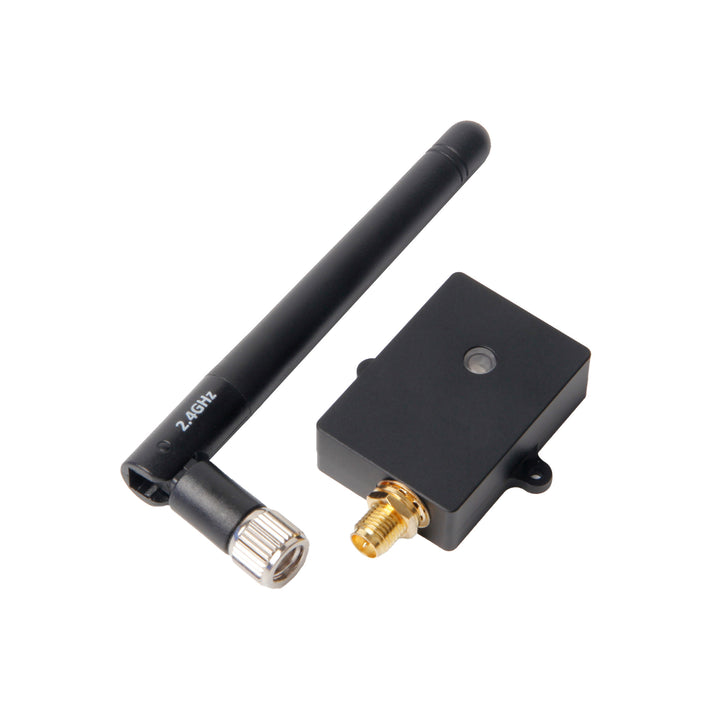
Holybro Remote ID Module With Case – WiFi / Bluetooth, CAN / Serial, PX4 / ArduPilot ($49.99)
Remote ID module at $49.99. It broadcasts over WiFi and Bluetooth and runs ArduRemoteID firmware.
MAVLink2 WiFi Telemetry Module for Pixhawk/APM ($42.99)
Telemetry module at $42.99. It gives a MAVLink2 WiFi link for Pixhawk and APM flight controllers.
Shop the full range: GPS, Telemetry and Sensors at Quality RC Parts. See also: Related guide.
Frequently asked questions
How far can a phone see a Remote ID broadcast?
It depends on the module and the site. The Holybro manual lists above 500m as an estimate, with a ground test of 180m.
Does Remote ID need cell service to work?
No. The broadcast goes out over WiFi or Bluetooth direct, with no cell link needed.
What if my ground station shows no Remote ID status?
Check the module wiring and the port settings. A module with no feed from the flight controller cannot broadcast.
Do I need to check Remote ID on every flight?
Yes. A module can fail between flights, so check the broadcast each time you fly.
Sources
- FAA Remote ID rule and guidance
- ArduPilot Remote ID documentation
- Holybro Remote ID overview and spec
- FAA DroneZone
Last updated: November 10, 2026.