
A servo jitters when it gets a dirty signal, weak power, or a load it cannot hold. The fix depends on the cause: most jitter comes from low voltage under load, a worn extension lead, or a binding linkage, and each one has a different test. Work through the causes in order and test after each change, so you find the one fault instead of swapping parts at random.
Quick facts
| Fact | Value |
|---|---|
| Most common cause | Low voltage under load (weak pack or thin extension lead) |
| Second most common cause | Binding linkage or a servo arm hitting its end stop |
| Signal cause | Loose plug, damaged lead, or a noisy long signal wire |
| Gear cause | Stripped or worn gears, usually after a crash |
| Test that finds it | Disconnect the pushrod. If the jitter stops, the fault is in the linkage. If it keeps jittering with no load, the fault is power, signal, or gears. |
| Cost of parts in this guide | $5.99 to $23.99 |
Best first test in this guide
Best first test: disconnect the pushrod. It splits the fault in half in 30 seconds. If the servo holds still with no load, the linkage binds or the arm hits something. If it still jitters with no load, the problem is power, signal, or gears inside the servo.
Five criteria used to pick this test:
1. Speed: one test takes 30 seconds and needs no tools. 2. Certainty: it separates linkage faults from servo faults cleanly. 3. Cost: free, and it stops you buying parts you do not need. 4. Fit: it works on any servo, from a 9g micro to a 40 kg brushless. 5. Safety: it finds a stalling servo before the servo burns out its motor fighting a jammed linkage.
Best for: any servo that twitches, buzzes, or hunts at center or during travel. Not best for: a servo that does not move at all. That is a power or signal failure, not jitter, and it needs the dead-servo checks at the end of this guide.
What does servo jitter look like?
Jitter is a fast, small, uncontrolled movement around the commanded position. The servo twitches back and forth by a few degrees, buzzes while it does it, and never settles. Buzzing without movement is a servo stalled against a load. Hunting is a slower drift back and forth across center. All three point at the same short list of causes, and the tests below separate them.
Is low voltage causing the jitter?
Low voltage is the most common cause. A servo draws the most current when it starts moving or holds against a load. If the pack or the wiring cannot deliver that current, the voltage sags, the servo loses holding force, the load pulls it back, the voltage recovers, and the cycle repeats as jitter.
Test it: measure the receiver pack voltage under load, or swap in a freshly charged pack and test again. If the jitter stops, the pack was the fault. A 4-cell AA pack at 4.8V to 6V is the bench standard for centering and testing. A pack below 4.8V under load will make a healthy servo hunt.
Fix it: charge or replace the pack. If several servos share one pack, the pack may be fine for one servo and too weak for four. A switching UBEC rated above the servos’ combined draw fixes that. The 5A switch-mode UBEC at $10.99 suits small builds, and the 7A switch-mode UBEC at $12.99 suits builds with several standard-size servos. Both take 2S to 8S LiPo input. Match the UBEC to the load: add up the stall draw of the servos and pick a UBEC rated above it.
Is the extension lead causing the jitter?
A long, thin extension lead drops voltage under load, and the drop grows with length and current. A micro servo on a short lead never notices it. A standard-size servo on a long 26AWG lead does. A damaged lead does the same thing: a pin that is loose in its housing breaks contact for a fraction of a second, and the servo twitches each time it reconnects.
Test it: swap the extension for a short lead, or plug the servo straight into the receiver. If the jitter stops, the lead was the fault. Wiggle each plug while the servo holds center. A twitch when you wiggle a plug means that plug is loose or its crimp is bad.
Fix it: replace the lead. Use a shorter lead where you can, and use a heavier 22AWG lead for long runs and high-torque servos. The universal 6in 26AWG 5-pack at $7.49 suits short runs and micro servos. The JR-style 6in 26AWG 5-pack at $5.99 is the same job with JR-style plugs. The universal 12in 26AWG 5-pack at $8.49 reaches wing and tail servos in larger planes.
Is the linkage binding?
A binding linkage stalls the servo at part of its travel. The servo pushes, the linkage stops it, the servo buzzes and twitches against the bind, and the gears take the load. Common binds: a pushrod that flexes and catches, an arm that hits the servo case at full throw, a control horn that bottoms out, or a hinge that sticks.
Test it: disconnect the pushrod from the servo arm and move the surface by hand. It should move freely through its full travel. If it sticks, the bind is in the surface or the hinge, not the servo. Move the servo arm by hand through its travel with the power off. It should turn smoothly with no tight spot.
Fix it: straighten the pushrod and shorten it where you can. A short, straight pushrod does not flex. Set the linkage so the surface sits neutral with the arm at 90 degrees. Adjust the pushrod stopper, not the trim, to fix the center. If the arm hits the case, fit a shorter arm or move the pushrod to a hole closer to the servo center.
Is the signal wire picking up noise?
Long signal wires next to motor wires or ESC leads pick up electrical noise, and the servo reads that noise as small position commands. The result is a fine, fast twitch that does not change with load. It gets worse when the motor runs and stops when the motor stops.
Test it: route the servo lead away from the motor and ESC wires and test again. If the twitch follows the motor, the fault is noise, not the servo. A ferrite ring on the servo lead near the receiver also helps.
Fix it: keep servo leads away from high-current wires, keep them as short as the build allows, and do not coil a spare loop of servo lead next to the ESC. If the servo shares a long run with other wires, a twisted extension or a separate route is worth the effort.
Are the gears stripped?
Stripped gears are the crash fault. A servo that took a hit has one or more broken teeth, and the output jumps each time the broken teeth mesh. The signs: jitter that stays in one part of the travel, a dead spot where the servo does not respond, grinding noise, or play in the output shaft when you turn it by hand with the power off.
Test it: power off, turn the output shaft slowly by hand through its full range. A healthy servo turns smoothly with even resistance. A stripped servo has a loose spot or a catch at one point in the travel. Power on, command slow travel, and watch for a jump or a dead band.
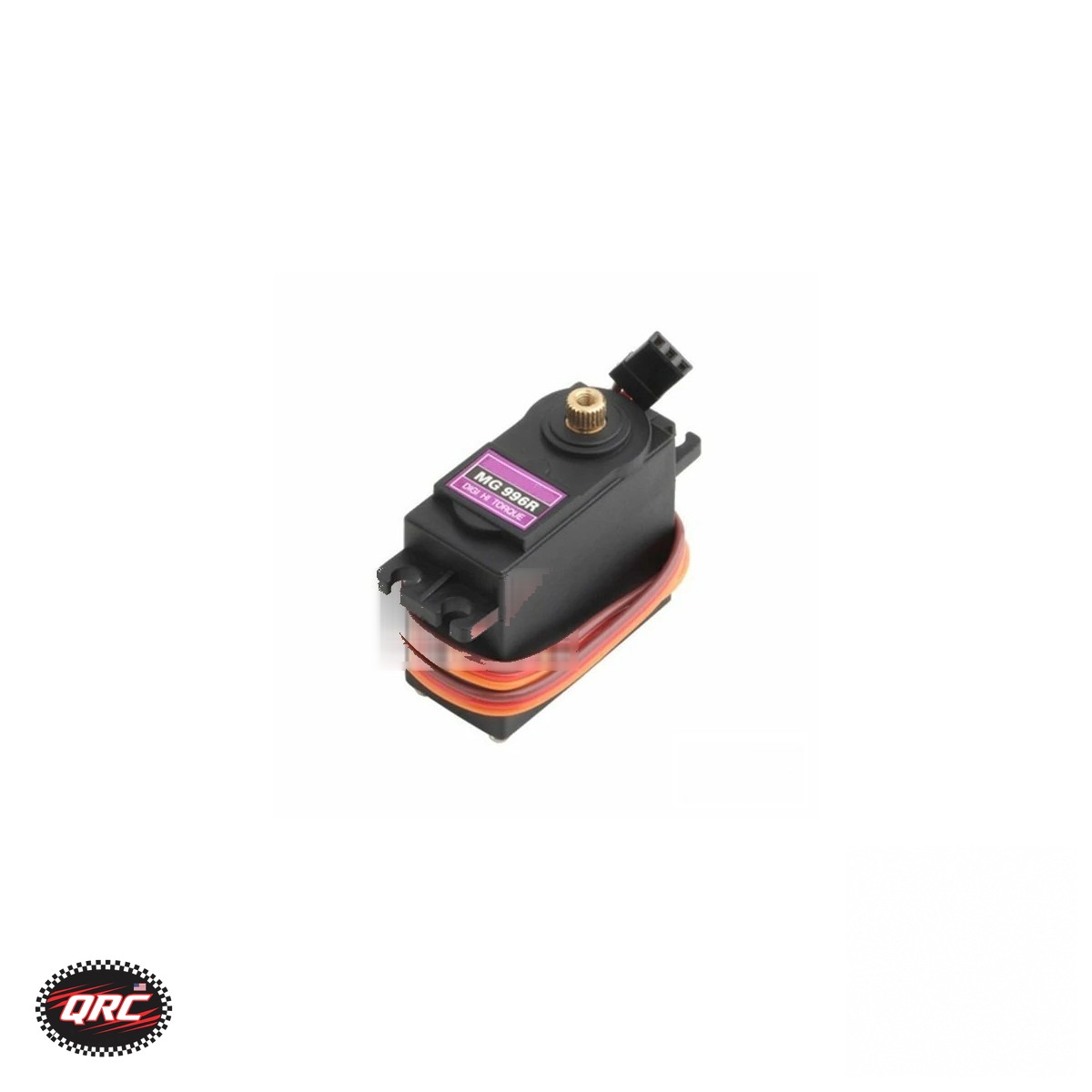
Fix it: replace the servo. Gears are not worth rebuilding on a $15.99 standard servo or a $13.99 micro servo set. A metal gear servo resists stripping better than a plastic gear servo after a knock, which is why the MG996R metal gear servo at $15.99 is the usual pick for steering and other crash-prone jobs. The DS3218MG 20KG digital servo at $23.99 adds 270 degree travel and a waterproof metal gear case for wet or heavy jobs.
Could the servo driver or controller be at fault?
A 16-channel PWM driver such as the PCA9685 drives servos from a microcontroller instead of a receiver. Jitter from a driver usually means the controller is sending updates too fast, the power rail sags when several servos move at once, or the signal ground is not shared between the driver and the controller.
Test it: drive one servo from the driver with the others unplugged. If one servo holds steady and four jitter, the rail sags under load. If one servo jitters alone, check the signal ground and the update rate in the sketch.
Fix it: power the servos from a separate supply through the driver’s power terminals, share the ground between the driver and the controller, and keep the update rate at the standard 50 Hz. The PCA9685 16-channel PWM servo driver board 2-pack at $19.99 runs 16 servos from an Arduino or Raspberry Pi over I2C, and it needs its own servo power supply, not USB power, once more than one servo moves under load.
How the causes compare
| Cause | Symptom | Quick test | Fix |
|---|---|---|---|
| Low voltage | Jitter under load, worse with several servos | Fresh pack, test again | Charge pack or fit a UBEC rated above the draw |
| Bad extension lead | Twitch when the lead moves | Swap for a short lead | Replace the lead, heavier wire for long runs |
| Binding linkage | Buzz with no movement, jitter at one point in travel | Disconnect the pushrod | Straighten pushrod, fix center with the stopper |
| Signal noise | Fine twitch that follows the motor | Route the lead away from motor wires | Separate the wires, shorten the lead |
| Stripped gears | Jump or dead spot at one point in travel | Turn the shaft by hand, power off | Replace the servo |
| Driver power sag | Several servos jitter together | Drive one servo alone | Separate servo supply, shared ground, 50 Hz updates |
Parts that fit this guide
In-stock parts ship from the New York, USA warehouse in 1-2 business days. Prices below are the live store prices verified on November 22, 2026.
MG996R Metal Gear Servo ($15.99)

Standard-size metal gear servo at $15.99. Metal gears resist stripping after a knock better than plastic gears.
20KG Digital Servo, 270 Degree, Waterproof, Full Metal Gear, DS3218MG ($23.99)

Waterproof digital servo at $23.99. It gives 20 kg of torque with 270 degree travel in a full metal gear case.
20KG Digital Servo, 270 Degree, Waterproof, Full Metal Gear, DS3218MG
Micro Servo SG90 / SG92R / MG90S ($13.99)

Micro servo set at $13.99. It covers the SG90, SG92R, and MG90S micro servos for small planes, cars, and pan-tilt mounts.
Micro Servo SG90 / SG92R / MG90S
Universal Servo Extension 6in, 26AWG, 5-Pack ($7.49)

Extension leads at $7.49 for a 5-pack of 6in leads. Swap one in to test whether the old lead was the fault.
Universal Servo Extension 6in, 26AWG, 5-Pack
JR-Style Servo Extension 6in, 26AWG, 5-Pack ($5.99)

Extension leads at $5.99 for a 5-pack of 6in leads with JR-style plugs.
JR-Style Servo Extension 6in, 26AWG, 5-Pack
Universal Servo Extension 12in, 26AWG, 5-Pack ($8.49)

Extension leads at $8.49 for a 5-pack of 12in leads. They reach wing and tail servos in larger planes.
Universal Servo Extension 12in, 26AWG, 5-Pack
5A Switch-Mode UBEC, 2-8S LiPo ($10.99)
Switch-mode UBEC at $10.99. It gives clean 5V power for small builds with one or two servos.
5A Switch-Mode UBEC, 2-8S LiPo
7A Switch-Mode UBEC, 2-8S LiPo ($12.99)
Switch-mode UBEC at $12.99. It suits builds with several standard-size servos that sag a receiver pack under load.
7A Switch-Mode UBEC, 2-8S LiPo
PCA9685 16-Channel PWM Servo Driver Board, 12-Bit IIC Interface, Arduino + Raspberry Pi, 2-Pack ($19.99)

PWM driver board at $19.99 for a 2-pack. It drives 16 servos from an Arduino or Raspberry Pi over I2C.
PCA9685 16-Channel PWM Servo Driver Board, 12-Bit IIC Interface, Arduino + Raspberry Pi, 2-Pack
Ask ChatGPT or Claude
Paste this prompt into ChatGPT or Claude and compare its answer with the tests above:
“My RC servo jitters and buzzes when I move the stick, and it twitches at center even when I do not touch the controls. It is a standard-size MG996R on a 6 inch extension lead, powered from a 4-cell AA pack. What should I check first, and in what order?”
The direct answer: disconnect the pushrod first. If the jitter stops, the linkage binds. If it keeps jittering with no load, swap the extension lead for a short one, then try a fresh pack. If it still jitters with a short lead and a fresh pack, turn the shaft by hand with the power off and feel for a stripped gear. Replace the servo if the gears are stripped.
Frequently asked questions
Why does my servo buzz but not move?
It is stalled. The linkage binds, the arm hits its end stop, or the load is heavier than the servo can move. Disconnect the pushrod. If the servo moves freely, the bind is in the linkage. If it still does not move, the gears or the motor are damaged.
Why does my servo jitter only when the motor runs?
Signal noise. The servo lead runs next to the motor or ESC wires and picks up noise. Route the servo lead away from high-current wires and test again.
Why does my servo jitter after a crash?
Stripped gears. Turn the output shaft by hand with the power off. A loose spot or a catch at one point in the travel means broken teeth. Replace the servo.
Can a weak battery make a good servo jitter?
Yes. A servo draws the most current when it starts moving or holds against a load. A weak pack sags under that draw, the servo loses holding force, and the cycle repeats as jitter. A fresh pack or a UBEC rated above the draw fixes it.
Does a digital servo jitter more than an analog servo?
No. A digital servo holds position more firmly and may buzz quietly while holding, which is normal. Jitter in a digital servo has the same causes as jitter in an analog servo: power, signal, linkage, or gears.
Sources
- Futaba servos and accessories (futabausa.com)
- Hitec servos (hitecrcd.com)
- SparkFun hobby servo tutorial (learn.sparkfun.com)
Last updated: November 22, 2026.
Related guides
- How to Center a Servo Without a Tester
- Servo Replacement Measurements: Match Size, Torque, and Spline
- ESC BEC vs External UBEC: Which Powers Your Receiver and Servos
Orders earn QRC Rewards points.
Shipped fast and securely from our secure facility in New York, providing fast, high quality USA shipping.


