
A 3D printer is a machine, and machines need maintenance. A printer that gets a few minutes of care every week prints clean for years. A printer that gets none of it slowly gets worse, and the owner blames the filament or the settings when the real problem is a dirty bed or a worn nozzle. 3D printer maintenance is not complicated, and most of it takes less time than one failed print. This guide covers the weekly habits that keep a printer printing like new.
The payoff is simple: fewer failed prints, better first layers, and parts that fit. Most print problems are maintenance problems. Warping comes from a dirty bed. Stringing comes from a worn nozzle or damp filament. Weak layers come from a clogged nozzle or a loose belt. Fix the maintenance first, and most of the problems go away without touching the settings.
3D Printer Maintenance: The Weekly Five Minutes
Once a week, clean the build plate. Wash it with warm water and a little soap, dry it fully, and wipe it with isopropyl alcohol before the next print. Skin oil kills adhesion, so do not touch the print surface with bare hands. Check the belts for tension and the wheels for dust, and wipe the frame down. Look at the nozzle for buildup, and clean it while it is hot. Five minutes a week keeps the printer in good shape, and it is the single best habit a printer owner can build.
Once a month, go deeper. Check the nozzle for wear and replace it if the hole looks oval or the prints look rough. Check the Bowden tube for wear at the ends, and trim it if it is damaged. Lubricate the lead screw and the smooth rods with a light machine oil. Check the fans for dust and clean them, since a dusty fan cools badly and parts warp. None of this needs special tools, and all of it is in the printer manual.
The Bed Is Half the Battle
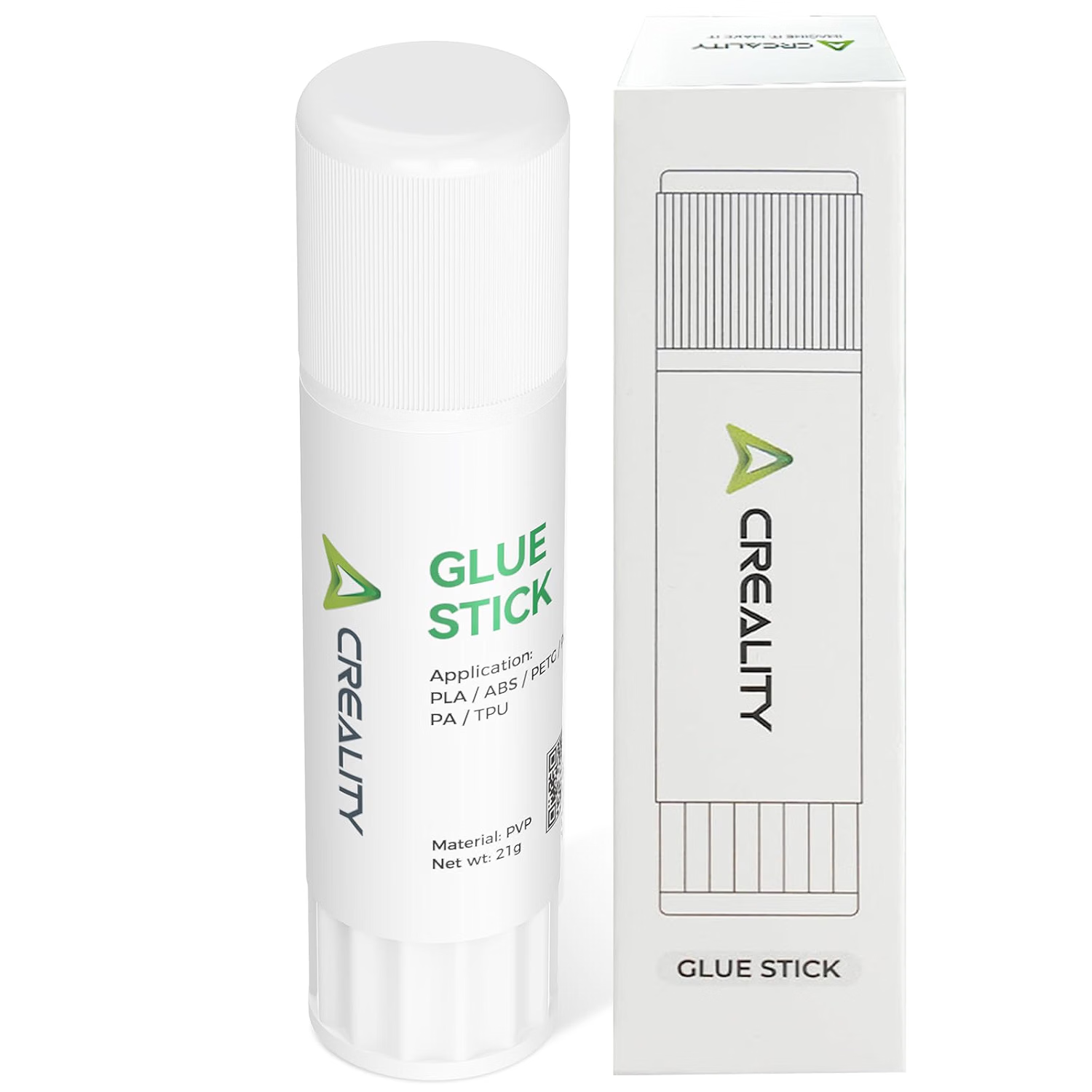
Bed adhesion is where most prints fail, and it is where maintenance pays off fastest. A clean bed, a level bed, and a thin layer of bed adhesion glue will hold a print flat that would otherwise lift and warp. The Creality 3D printer glue stick is a 21g PVP solid glue stick that works with PLA, ABS, PETG, PC, PA, and TPU, and it washes off with water. Apply a thin, even layer on a cold plate, print, let the plate cool, and lift the part off. A generic bed adhesion glue stick does the same job, water soluble and solvent free, for the same six filaments.
Reapply glue every few prints, not every print, and wash the plate with water when residue builds up. A thick layer of glue makes the bottom rough and harder to remove, so thin and even is the rule. Store the stick capped so it does not dry out. A 21g stick lasts a long time, because each application is only a thin layer. Pair a clean bed and a glue stick with a slow first layer, and warping stops being a problem.
Nozzle, Feeding, and Filament
The nozzle is a wear item, and it wears faster with abrasive filaments. A worn nozzle prints rough surfaces and weak layers, and no setting fixes it. Replace the nozzle when prints get rough, and keep a spare on hand. Check the extruder gears for dust and filament debris, and clean them so they grip the filament. Keep the filament path clear, and make sure the filament feeds smooth without sharp bends.
Keep spares on hand. A spare nozzle, a spare glue stick, and a spare roll of tape cost little and save a weekend when something wears out mid print. A printer that is maintained and stocked is a printer that prints when you need it, not one that waits on a parts order. Put the spares in a small box next to the printer, so they are there when you reach for them.
Filament care is part of printer maintenance too. Keep spools sealed with desiccant when you are not printing, and dry damp filament before a big print. Damp filament prints rough and weak, and it looks like a printer problem when it is really a storage problem. The Anycubic PLA filament refill and the Anycubic PETG filament refill both print best when they are dry, so store them right. A dry spool, a clean bed, a good nozzle, and a glue stick cover almost every print problem a hobbyist will meet.
Ships from our secure NY warehouse in the USA
Quality RC Parts is a USA shop, and every order ships from our secure NY warehouse. Orders leave in 1 to 2 business days with tracking sent by email, and shipping is free on orders over $100. No overseas wait, no customs. We are a working repair shop, and we stand behind every part we sell.