
A robotics kit for beginners is the fastest way to go from curious to building. You get a chassis, motors, wheels, and the hardware to put it together, instead of hunting down each part on your own. This guide covers what a good starter kit includes, which kit to buy first, and the simple first project that gets your robot rolling the same day it arrives.
What a robotics kit for beginners should include
A good starter kit gives you a complete rolling base. Look for a chassis with motors and wheels already matched to it, a battery box, and the screws and standoffs to assemble it. Speed encoders are a bonus, because they let the robot measure how fast each wheel turns, which is how it learns to drive straight. Avoid kits that are only a bare frame with no motors. You want to build a robot, not shop for missing parts.
Start with a robot car chassis
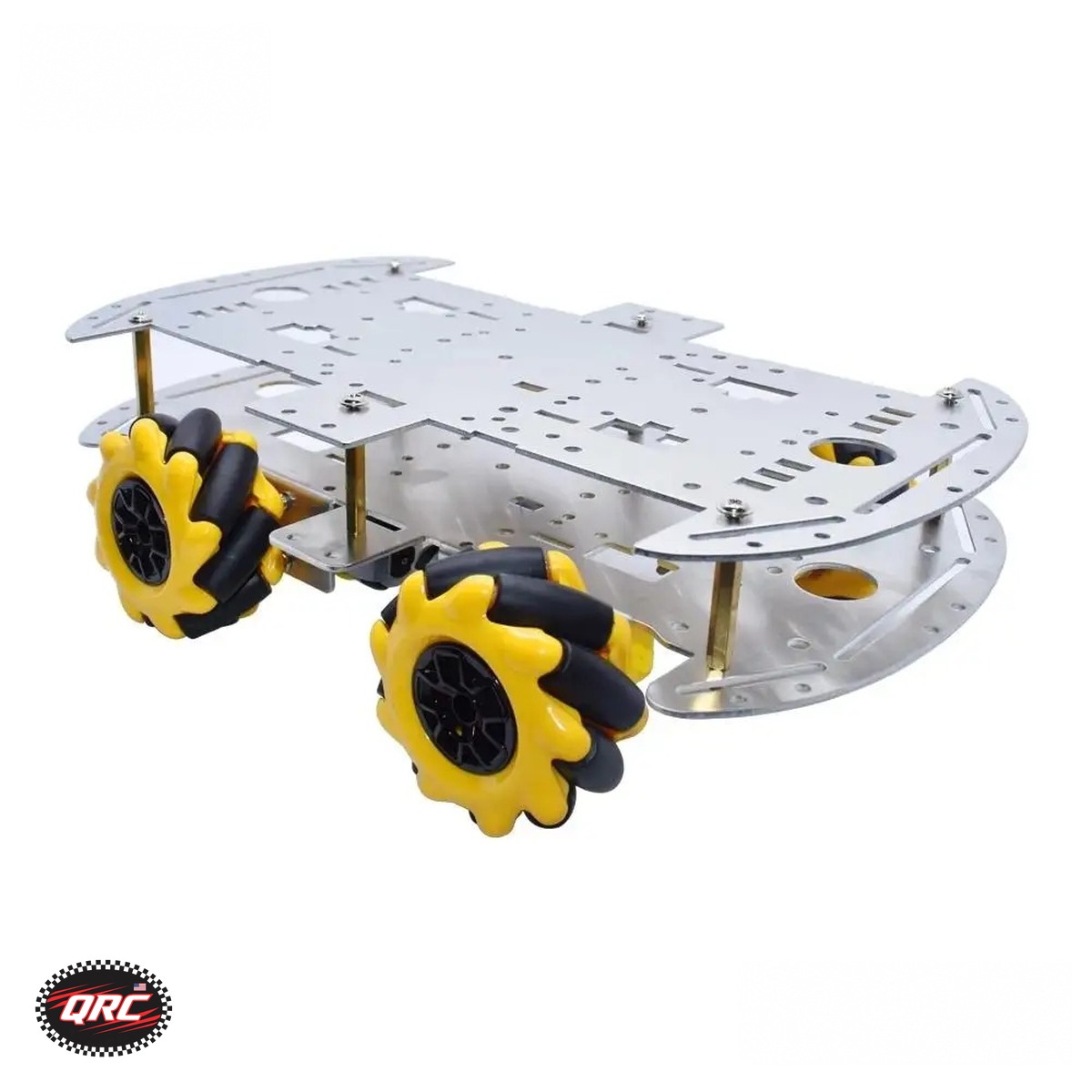
The best first robot is a car. It is simple to assemble, easy to program, and fun to drive the minute it works. The Smart Robot Car Chassis Kit costs $48.22 and comes with a speed encoder and battery box for Arduino, in 2WD or 4WD. It is a solid first pick because everything you need to roll is in the box. If you want something that moves differently, the Mecanum Wheel 4WD Robot Car Chassis Kit costs $47.11. It is built from aluminum alloy with 60mm omni wheels, so the robot can slide sideways and spin in place, which a normal car chassis cannot do.
Add a robot arm once the car drives
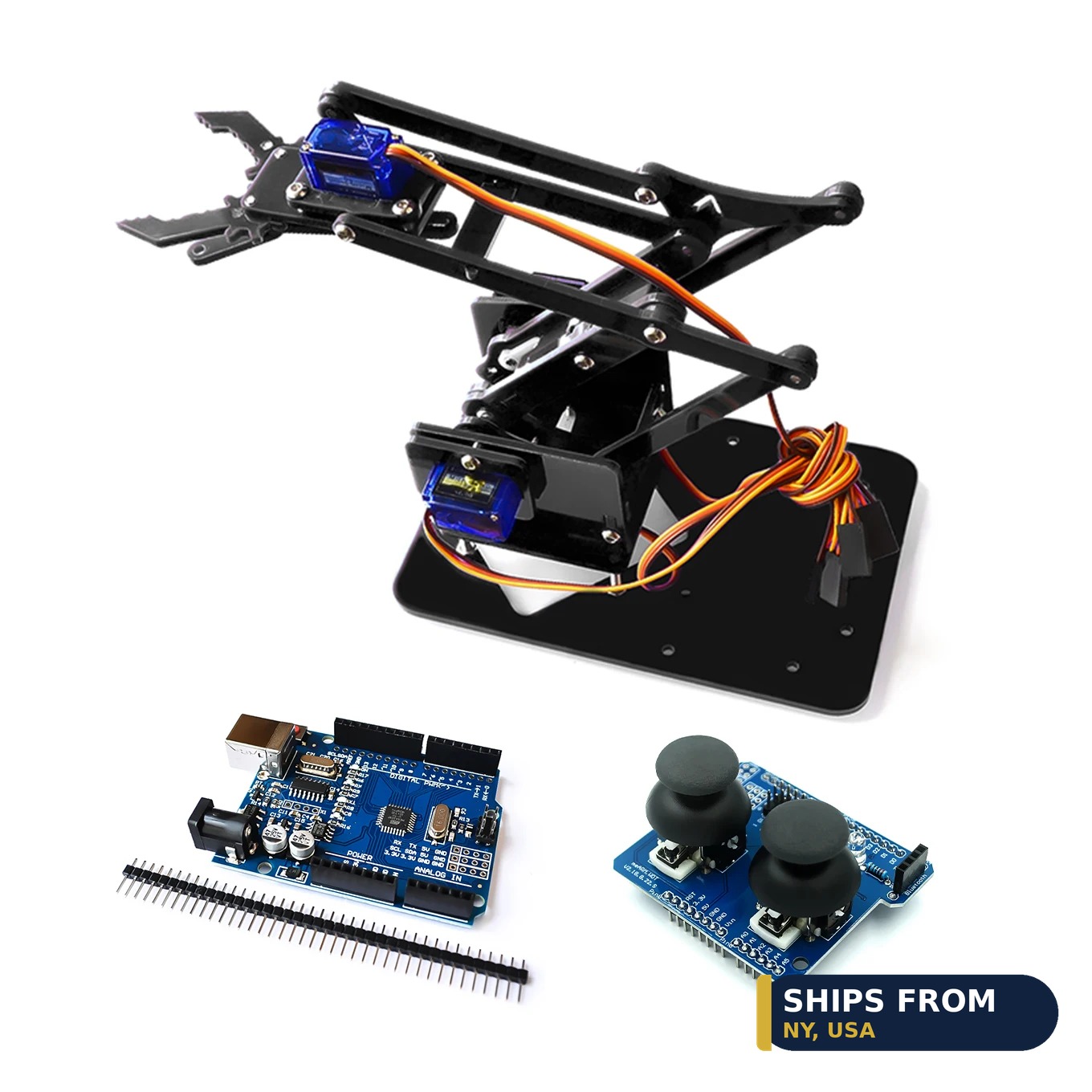
A robot arm is the best second project. The 4-DOF Acrylic Robot Arm Kit with Claw costs $18.00 and comes unassembled, with SG90 servos and UNO and rocker options. Four degrees of freedom means the arm can reach, lift, rotate, and grab with its claw. Mount it on your car chassis and you have a mobile robot that picks things up. Building the arm also teaches you how servos work, which is a skill every robot project uses.
-
Mecanum Wheel 4WD Robot Car Chassis Kit, Aluminum Alloy, 60mm Omni Wheels
Price range: $47.11 through $69.12Select options This product has multiple variants. The options may be chosen on the product pageConfiguration
The board that runs your robot
A chassis needs a brain. The UNO R3 Compatible Development Board costs $9.27 and uses the ATmega328P chip with a CH340G USB connection. It is the classic first board for Arduino projects, and most beginner tutorials are written for it. If you want wireless control later, the ESP32-S3 Development Board DevKitC-1 costs $10.12 and adds WiFi and Bluetooth, with a 44 pin layout and a Type-C USB connection. Start with the UNO R3, and move to the ESP32-S3 when you want to drive the robot from your phone.
Your first build, step by step
Build the chassis first and test the motors before you add anything else. Mount the board, connect the motor wires, and load a simple example sketch that drives forward for two seconds and stops. When that works, add the battery box and test it rolling on the floor. Then mount the arm, connect the servos one at a time, and test the claw. Working in small steps means you always know which part broke if something stops. That habit will save you hours on every project after this one.
Programming your first robot
You do not need to know how to code before you start. The free Arduino software comes with example programs, called sketches, that already drive motors, read sensors, and move servos. Open an example, read the comments, and change one number to see what happens. Change the motor speed from 100 to 200 and the robot goes faster. Change a delay from 1000 to 200 and the robot turns sooner. That is programming: small changes, tested one at a time. There are thousands of free tutorials written for the UNO R3, and most of them assume you have never written a line of code. Pick one tutorial, follow it exactly, and only change things after it works.
What to buy first
If you are buying one robotics kit for beginners, start with the Smart Robot Car Chassis Kit and a UNO R3 board. Add the robot arm kit next, then a set of jumper wires and a small screwdriver set if you do not own them already. You can browse the full Robotics category and the Microcontrollers category to plan your next build. Buy the kit, build it the day it arrives, and learn by driving it.
Ships from our secure NY warehouse in the USA
Quality RC Parts is a USA shop, and every order ships from our secure NY warehouse. Orders leave in 1 to 2 business days with tracking sent by email, and shipping is free on orders over $100. No overseas wait, no customs. We are a working repair shop, and we stand behind every part we sell.